
Common Interactive Whiteboard After-Sales Problems and Maintenance: A B2B Buyer’s Guide
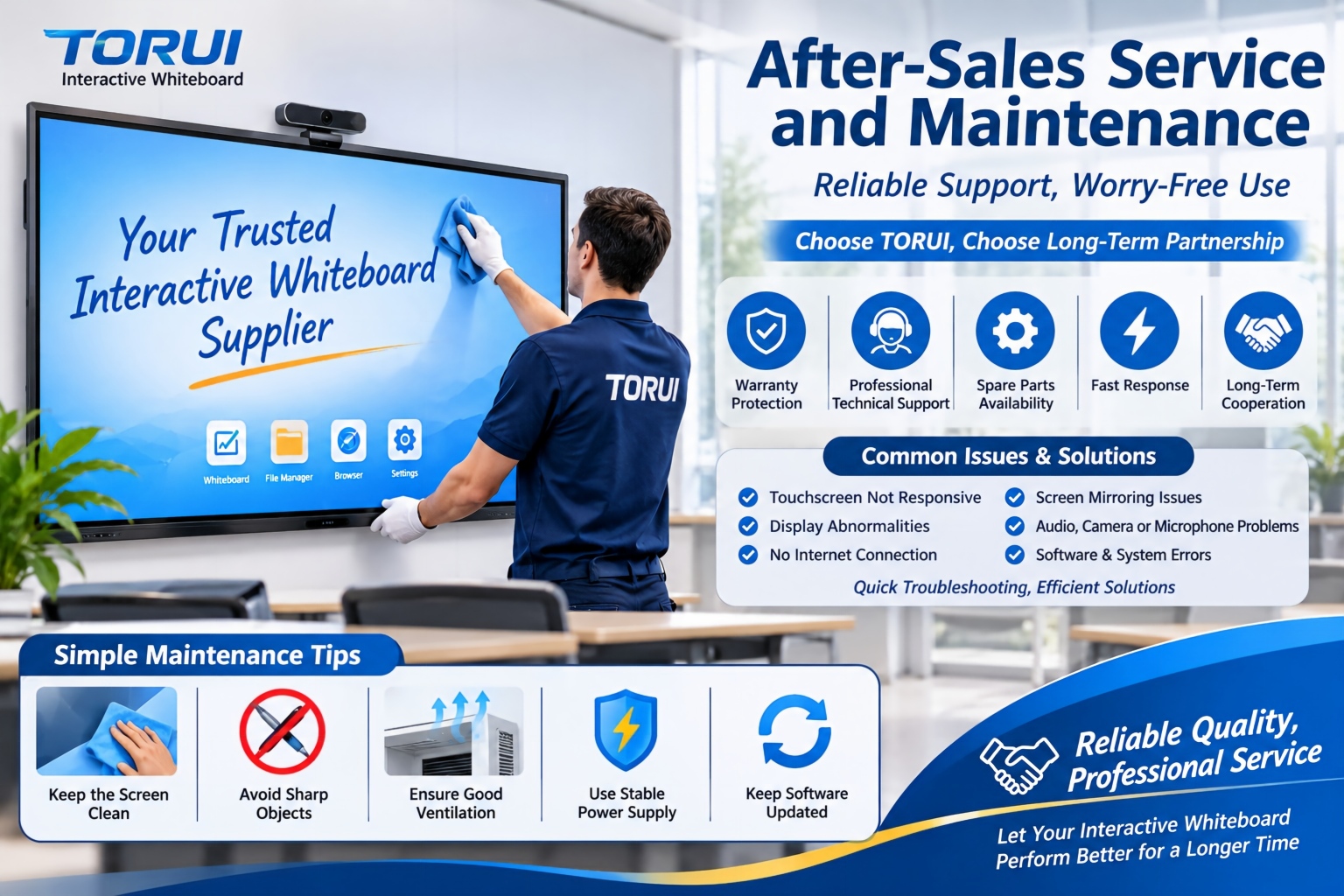
For schools, training centers, enterprises, government organizations, system integrators, distributors, and wholesalers, buying an interactive whiteboard is not only about product price and specifications. After-sales service, maintenance, troubleshooting, spare parts, warranty, and technical support are equally important.
A reliable interactive whiteboard should provide stable touch performance, clear display quality, dependable connectivity, and long-term operating reliability. However, like any electronic device, interactive whiteboards may occasionally experience technical problems. Understanding the most common issues and maintenance methods can help B2B buyers reduce downtime and total ownership costs.
What Are the Most Common Interactive Whiteboard After-Sales Problems?
The most common after-sales issues generally involve touch performance, display, operating system, connectivity, audio, camera and microphone functions, software, and hardware components.
Before purchasing, B2B buyers should ask suppliers about their troubleshooting procedures, warranty coverage, replacement parts, remote technical support, and response time.
1. Touchscreen Does Not Respond Correctly
Touch problems are among the most common issues reported by interactive whiteboard users.
Typical symptoms include:
-
Touch points are inaccurate.
-
Touch response is delayed.
-
Some areas of the screen do not respond.
-
Multi-touch does not work correctly.
-
Touch works intermittently.
Possible causes include incorrect touch calibration, software conflicts, USB connection problems, electromagnetic interference, or hardware failure.
Recommended maintenance: First restart the interactive whiteboard and check the touch settings. Reconnect the USB or touch cable if applicable and perform touch calibration. If the problem remains, the supplier should provide remote technical support or arrange hardware inspection.
For B2B buyers, it is important to confirm whether the manufacturer provides touch-panel replacement, spare parts, technical manuals, and remote troubleshooting support.
2. Display Has No Image or Abnormal Display
Another common issue is a blank screen, flickering image, abnormal colors, or reduced brightness.
Possible causes include:
-
Loose internal or external connections
-
HDMI or other signal cable problems
-
Incorrect input source
-
Computer or OPS output problems
-
Display hardware failure
-
Power supply issues
The first troubleshooting step is usually to check the selected input source and external connections. If an OPS PC or external computer is being used, the buyer should also check its video output settings.
For commercial buyers, suppliers should clearly define which components are covered by warranty and whether replacement display components are available.
3. Interactive Whiteboard Cannot Connect to the Internet
Modern interactive whiteboards commonly use Wi-Fi or Ethernet connections for cloud applications, screen sharing, software updates, and online teaching or meeting platforms.
Common causes of connectivity problems include incorrect Wi-Fi passwords, weak signals, network restrictions, DNS problems, or local firewall settings.
A simple restart of the network connection can sometimes solve the issue. For large schools or enterprises, however, the IT department may need to check network policies and access permissions.
When purchasing in bulk, B2B buyers should confirm whether the interactive whiteboard supports the required Wi-Fi standards, Ethernet connection, screen mirroring protocols, and network management requirements.
4. Screen Mirroring or Casting Does Not Work
Wireless screen sharing is an important function for classrooms and meeting rooms. Problems may occur when the source device and interactive whiteboard are connected to different networks or when the required software or protocol is not supported.
Buyers should verify compatibility with their target devices, including Windows PCs, Android phones, iPhones, tablets, and other computers.
A manufacturer should provide clear instructions for screen mirroring and, ideally, technical support for different operating environments.
5. Speakers, Microphones, or Cameras Have Problems
Interactive whiteboards increasingly integrate cameras, microphones, and speakers for video conferences and hybrid classrooms.
Common problems include:
-
No sound
-
Low speaker volume
-
Microphone not detected
-
Camera not recognized
-
Poor video quality
The first step is to check whether the correct audio or camera device is selected in the operating system or meeting software.
For B2B projects, buyers should also confirm whether the camera, microphone, and speaker modules are independently replaceable. This can reduce maintenance costs compared with replacing the entire unit.
6. Software or Operating System Problems
Interactive whiteboards may run Android, Windows through an OPS computer, or a combination of operating systems.
Typical software problems include system freezing, applications crashing, slow performance, incorrect settings, or failed updates.
Recommended maintenance includes:
-
Keeping system software updated when appropriate
-
Removing unnecessary applications
-
Maintaining sufficient storage space
-
Restarting the device periodically
-
Avoiding unauthorized firmware or software modifications
B2B buyers should ask whether the manufacturer provides firmware updates, system recovery files, user manuals, and remote technical support.
How Should an Interactive Whiteboard Be Maintained?
Proper maintenance can significantly reduce service calls and extend product life.
Keep the Screen Clean
Use a soft, lint-free cloth to clean the interactive whiteboard surface. Avoid abrasive materials and excessive liquid. Cleaning products should be compatible with the manufacturer's screen and glass specifications.
Protect the Screen from Physical Damage
Do not use sharp objects or excessive force on the screen. Although commercial interactive whiteboards generally use durable glass, physical impact can still cause damage.
Maintain Proper Ventilation
Do not block the ventilation openings. Adequate airflow helps control internal temperature and supports long-term component reliability.
Use Stable Power
Unstable power can damage electronic components. For installations in regions with unstable electricity, buyers may consider appropriate power protection equipment.
Perform Regular Software Maintenance
Schools and enterprises with dozens or hundreds of interactive whiteboards should establish a basic maintenance schedule. IT teams can regularly check system updates, network connectivity, storage capacity, and device performance.
What Should B2B Buyers Ask an Interactive Whiteboard Manufacturer Before Purchasing?
After-sales service should be evaluated before signing a purchase order, not after a problem occurs.
Important questions include:
-
What is the warranty period?
-
Which components are covered by warranty?
-
How are defective units handled?
-
Are replacement parts available?
-
Can the manufacturer provide remote technical support?
-
Does the supplier provide firmware and software updates?
-
Are technical manuals and troubleshooting guides available?
-
Can the manufacturer support OEM/ODM products after delivery?
-
What is the typical response time for technical problems?
-
Can the supplier provide spare parts for long-term projects?
For distributors and system integrators, these questions are particularly important because the supplier's after-sales capability directly affects the distributor's reputation with end customers.
How Can B2B Buyers Reduce Interactive Whiteboard Maintenance Costs?
The best strategy is to evaluate the total cost of ownership, rather than comparing purchase prices alone.
A low-cost interactive whiteboard may become expensive if spare parts are difficult to obtain, technical support is slow, or warranty procedures are complicated.
A more reliable supplier should provide:
-
Stable product quality
-
Complete technical documentation
-
Professional quality control
-
Spare parts availability
-
Remote technical support
-
Clear warranty policies
-
Firmware and software support
-
Fast communication
-
OEM/ODM after-sales support when required
For large projects, buyers can also consider ordering critical spare parts together with the initial shipment. This can shorten repair time and reduce future logistics costs.
FAQ: Interactive Whiteboard After-Sales Service
Q1: What is the most common interactive whiteboard problem?
Touchscreen issues, display problems, connectivity failures, software errors, and audio or camera problems are among the most common after-sales issues.
Q2: How can I troubleshoot an interactive whiteboard that does not respond to touch?
Restart the device, check the touch connection, verify settings, and recalibrate the touchscreen. If the problem continues, contact the manufacturer.
Q3: How often should an interactive whiteboard be maintained?
Basic cleaning and operational checks can be performed regularly, while software, network, and hardware inspections should follow the organization's usage and maintenance schedule.
Q4: Should distributors keep spare parts?
For large-volume projects, keeping commonly replaced components can reduce downtime and improve customer service.
Q5: What after-sales support should B2B buyers expect from a manufacturer?
A professional manufacturer should offer warranty support, technical assistance, troubleshooting guidance, spare parts, and appropriate software or firmware support.
Conclusion
For B2B buyers, an interactive whiteboard is a long-term commercial investment rather than a one-time hardware purchase. Product reliability, technical support, spare parts availability, warranty policy, and maintenance capability should all be evaluated before choosing a supplier.
The best interactive whiteboard manufacturer is not necessarily the supplier offering the lowest initial price. A dependable manufacturer should combine stable product quality, professional quality control, responsive after-sales service, technical support, spare-parts availability, and long-term cooperation capability.
By evaluating both product performance and after-sales support, distributors, wholesalers, system integrators, schools, and enterprises can reduce downtime, control total ownership costs, and provide a better experience for their end users.
Quality Today, Confidence Tomorrow: What B2B Buyers Really Value
Who Are the Best and Most Reliable Interactive Whiteboard Manufacturers in China?
Related Article