
55-inch smart interactive whiteboard: redefining the future of modern collaboration and teaching
author: toruitech
2025-06-17
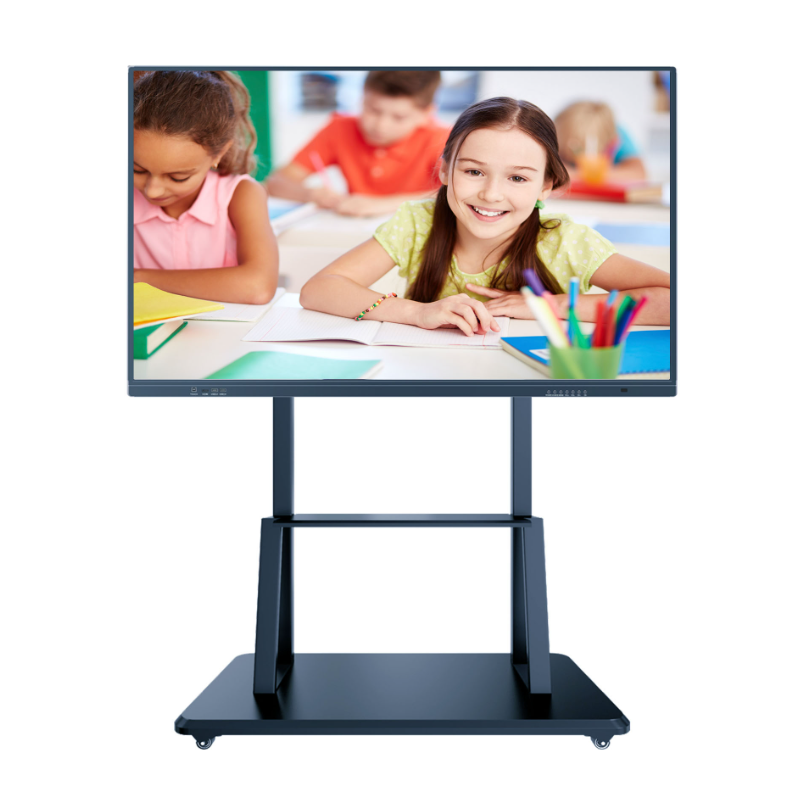
Connected by a USB cable, the minimalist design accommodates modern space, and the innovation of smart collaboration has arrived.
As the wave of digitalization sweeps the world, traditional whiteboards are rapidly giving way to smart interactive solutions. As the core tool for education and corporate conference scenes, the 55-inch smart interactive whiteboard is becoming the standard configuration of modern spaces with its high-definition display, multi-touch and highly integrated features.
According to industry data, such devices have significant effects in improving teaching participation and meeting efficiency, and the global market growth rate continues to rise.
The pain points of traditional collaboration and the rise of smart whiteboards
Traditional conference rooms and classrooms are often troubled by complicated equipment, complex operations, and low collaboration efficiency. Teachers or speakers need to switch repeatedly between whiteboards, projectors, and audio equipment, which distracts from the focus of content delivery.
When corporate teams collaborate, smooth discussion processes are often interrupted by technical barriers. These pain points have given rise to the need for integrated smart solutions.
The 55-inch smart interactive whiteboard came into being. Its size design fully considers the adaptability of space - it ensures visibility in a multi-person environment and avoids occupying limited space due to being too large. Its core value lies in integrating multiple device functions into one, eliminating complex wiring and technical barriers.
Deciphering the core functional advantages of the 55-inch smart interactive whiteboard
Minimalist design, powerful integration: It adopts a lightweight bottom edge structure design, and accommodates multi-touch, central control system, wireless microphone, stereo amplifier and OPS computer modules under a simple appearance. Capacitive touch buttons and RFID card swipe start mechanism simplify the operation process, and the front indicator light intuitively displays the device status.
Single-line connection revolution: The unique IQUSB interface supports single-line connection with an external PC to achieve synchronous transmission of audio, video and control signals. No additional wiring is required, and the "cable entanglement" of traditional conference rooms is completely bid farewell.
Efficient interactive experience: 15 soft hot keys are equipped on both sides, with clear function classification and support for quick call tools (such as annotation, erasure, page switching). Multiple people can write at the same time without conflict, and the stroke accuracy reaches the millimeter level, restoring the natural writing feeling.
In-depth analysis of the value of multi-scenario applications
Educational changer: Teachers can directly call up network resources, annotate courseware in class, and save content in real time to share with students. Combined with IQView document camera, physical display and whiteboard operation can be seamlessly switched to create an immersive smart classroom.
Enterprise efficient collaboration engine: Teams can edit proposals on the same screen, annotate design drawings in real time, and save them to the cloud with one click. The wireless projection function is compatible with various devices and supports 4K video playback, allowing creative discussions to break free from technical constraints and focus on core output.
Creative and training center tool: Design studios can modify the details of works in real time, and training institutions can record the complete operation process to generate teaching resources. Reduce 70% of content production time and maximize knowledge precipitation efficiency.
Future guide to choosing smart whiteboards
There are three dimensions to pay attention to when purchasing a 55-inch smart whiteboard: core function integration (whether it has built-in audio, OPS), extended compatibility (such as IQUSB interface), and software ecology (collaboration platform adaptability).
Leading models such as IQAio GR519 have achieved full-link optimization from hardware to software. Its lightweight design is more suitable for compact spaces, and the industrial-grade panel guarantees an average of 10 hours of high-intensity use per day.
Smart interactive whiteboards have been widely deployed by top companies around the world. Conference room reports from technology giants such as Google and Microsoft show that meeting efficiency has increased by an average of 40% and decision-making cycles have been shortened by 30%. Tracking by educational institutions has confirmed that student classroom participation has jumped by 55% and knowledge point retention has increased by more than 100%.
The essence of technology-enabled collaboration is to make tools invisible and creativity visible. The 55-inch smart interactive whiteboard is reshaping the way human thoughts are expressed with just the right size and breakthrough design.
Portable Smart Whiteboard: A New Milestone in Interactive Technology Innovation
How to Use a Smart Board Interactive Whiteboard: A Step-by-Step Guide
Related Article

Choosing the right interactive whiteboard size is an important decision for distributors, wholesalers, and education technology suppliers. The 65-inch, 75-inch, and 86-inch interactive whiteboards are popular options for classrooms, meeting rooms, training centers, and commercial projects.
65 vs 75 vs 86-Inch Interactive Whiteboard: Which Model Should Distributors Choose?

Choosing the right interactive whiteboard manufacturer in China is an important decision for distributors, wholesalers, education technology suppliers, and system integrators. The right manufacturing partner can help businesses improve product quality, maintain competitive pricing, customize products for local markets, and build a sustainable distribution business.
Who Are the Best Interactive Whiteboard Manufacturers in China for B2B Distributors and Wholesalers?

Choosing an interactive whiteboard involves more than comparing screen sizes and prices. For schools, businesses, distributors, wholesalers, and system integrators, understanding the technical specifications is essential to selecting a reliable product that meets different application requirements.
Interactive Whiteboard Technical Specifications Explained: A Complete Guide to CPU, RAM, Storage, Touch, Panel, OPS, Camera and Connectivity

Choosing an interactive whiteboard for a school, meeting room, training center, government organization or commercial project requires more than comparing screen size and price. The most important specifications include display resolution, brightness, touch technology, operating system, processor, memory, storage, OPS compatibility, camera and microphone performance, connectivity, durability and after-sales support.
How to Choose an Interactive Whiteboard: A Technical Guide to Display, Touch, OS, OPS, Camera and Connectivity