How to Choose an Interactive Whiteboard: A Technical Guide to Display, Touch, OS, OPS, Camera and Connectivity
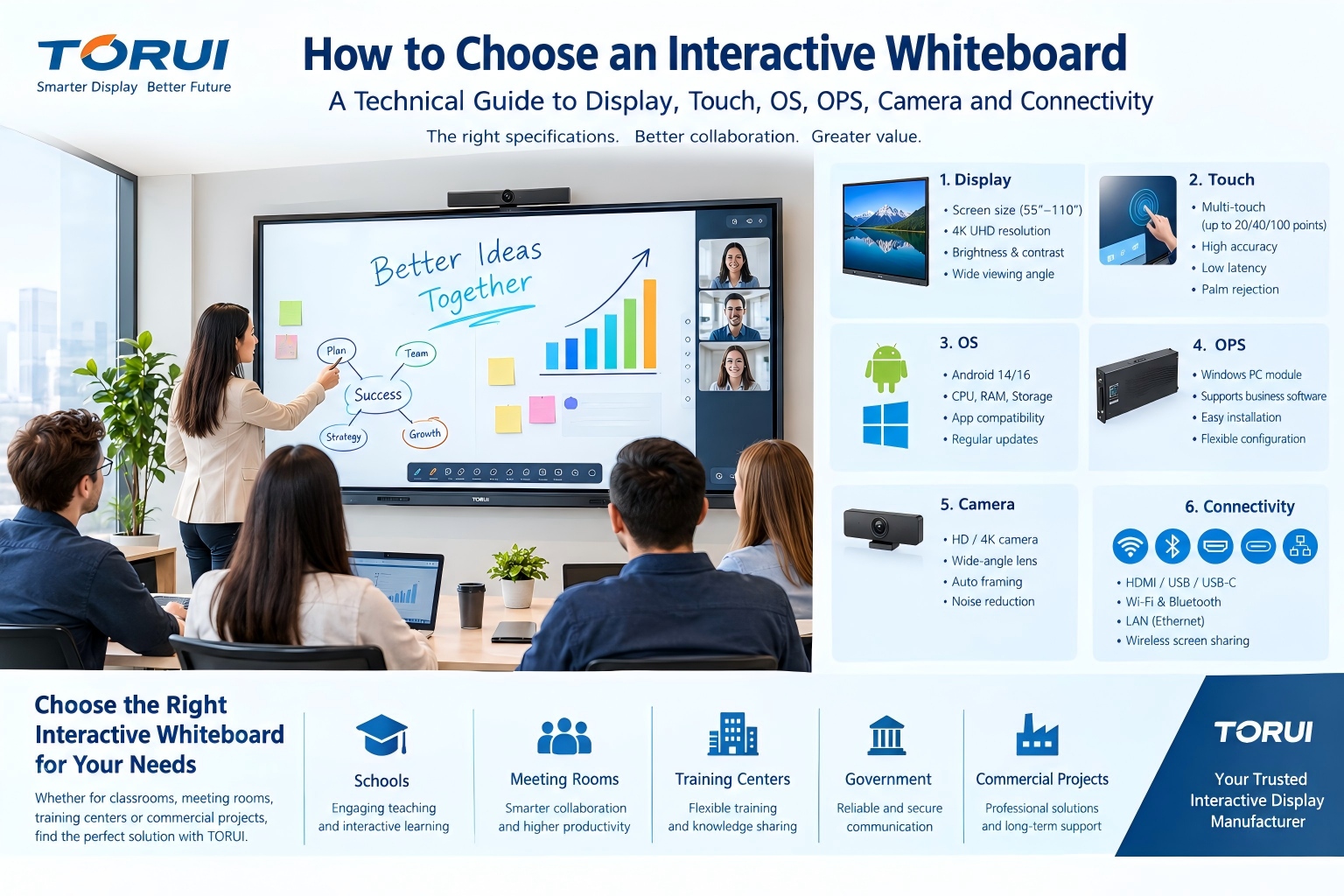
Choosing an interactive whiteboard for a school, meeting room, training center, government organization or commercial project requires more than comparing screen size and price. The most important specifications include display resolution, brightness, touch technology, operating system, processor, memory, storage, OPS compatibility, camera and microphone performance, connectivity, durability and after-sales support.
For distributors, wholesalers and system integrators, the best interactive whiteboard is not necessarily the model with the lowest purchase price. It is the model that provides the right combination of performance, reliability, compatibility, customization and long-term support for the target market.
This technical guide explains the key specifications buyers should evaluate before selecting an interactive whiteboard manufacturer or supplier.
Quick Answer: What Should You Check When Buying an Interactive Whiteboard?
For most B2B buyers, the key specifications are:
-
Screen size and viewing distance
-
4K resolution and display quality
-
Brightness and contrast
-
Touch technology and touch-point accuracy
-
Android operating system and hardware configuration
-
OPS Windows PC compatibility
-
Camera and microphone system
-
Wireless screen sharing and connectivity
-
Ports and external device compatibility
-
Glass protection and durability
-
Factory quality control and certifications
-
OEM/ODM and after-sales support
For distributors and project buyers, these specifications should be evaluated together rather than separately.
1. How Do You Choose the Right Interactive Whiteboard Size?
Screen size should be selected according to room dimensions, viewing distance, number of users and application scenario.
Common commercial interactive whiteboard sizes include 55-inch, 65-inch, 75-inch, 86-inch, 98-inch and 110-inch.
A practical selection approach is:
| Screen Size | Typical Application |
|---|---|
| 55-inch | Small classrooms, small meeting rooms |
| 65-inch | Small classrooms and meeting rooms |
| 75-inch | Standard classrooms and conference rooms |
| 86-inch | Large classrooms and medium/large meeting rooms |
| 98-inch | Large conference rooms, training centers and premium applications |
| 110-inch | Large meeting rooms, command centers and high-end presentation environments |
However, screen size alone does not determine usability.
A 98-inch display may be more appropriate for a large conference room, while a 65-inch display can be more practical for a smaller classroom.
The correct choice depends on viewing distance, room size, content type and number of participants.
2. Is 4K Resolution Important for an Interactive Whiteboard?
Yes. For most new commercial and education projects, 4K Ultra HD is preferable because interactive whiteboards are frequently used for detailed documents, presentations, diagrams, videos, spreadsheets and web-based content.
A 4K display provides approximately 3,840 × 2,160 pixels, giving users four times the pixel count of Full HD.
4K becomes particularly valuable when:
-
displaying detailed engineering drawings;
-
presenting high-resolution images;
-
showing educational videos;
-
displaying spreadsheets;
-
sharing computer desktops;
-
using large 86-inch, 98-inch or 110-inch displays.
For a large interactive display, higher resolution helps maintain image clarity when users sit relatively close to the screen.
Therefore, when comparing suppliers, buyers should ask not only whether the product is “4K,” but also about panel quality, brightness, contrast, viewing angle and color performance.
3. How Important Is Brightness?
Brightness affects how clearly content can be viewed under different lighting conditions.
A classroom with controlled lighting has different requirements from a meeting room with large windows.
Higher brightness can be particularly useful in:
-
brightly lit classrooms;
-
conference rooms;
-
training centers;
-
exhibition rooms;
-
government meeting facilities;
-
commercial presentation environments.
However, brightness should not be evaluated independently.
A buyer should consider:
Brightness + contrast + viewing angle + panel quality + room lighting.
A high brightness specification does not automatically mean better overall image quality.
4. How Many Touch Points Does an Interactive Whiteboard Need?
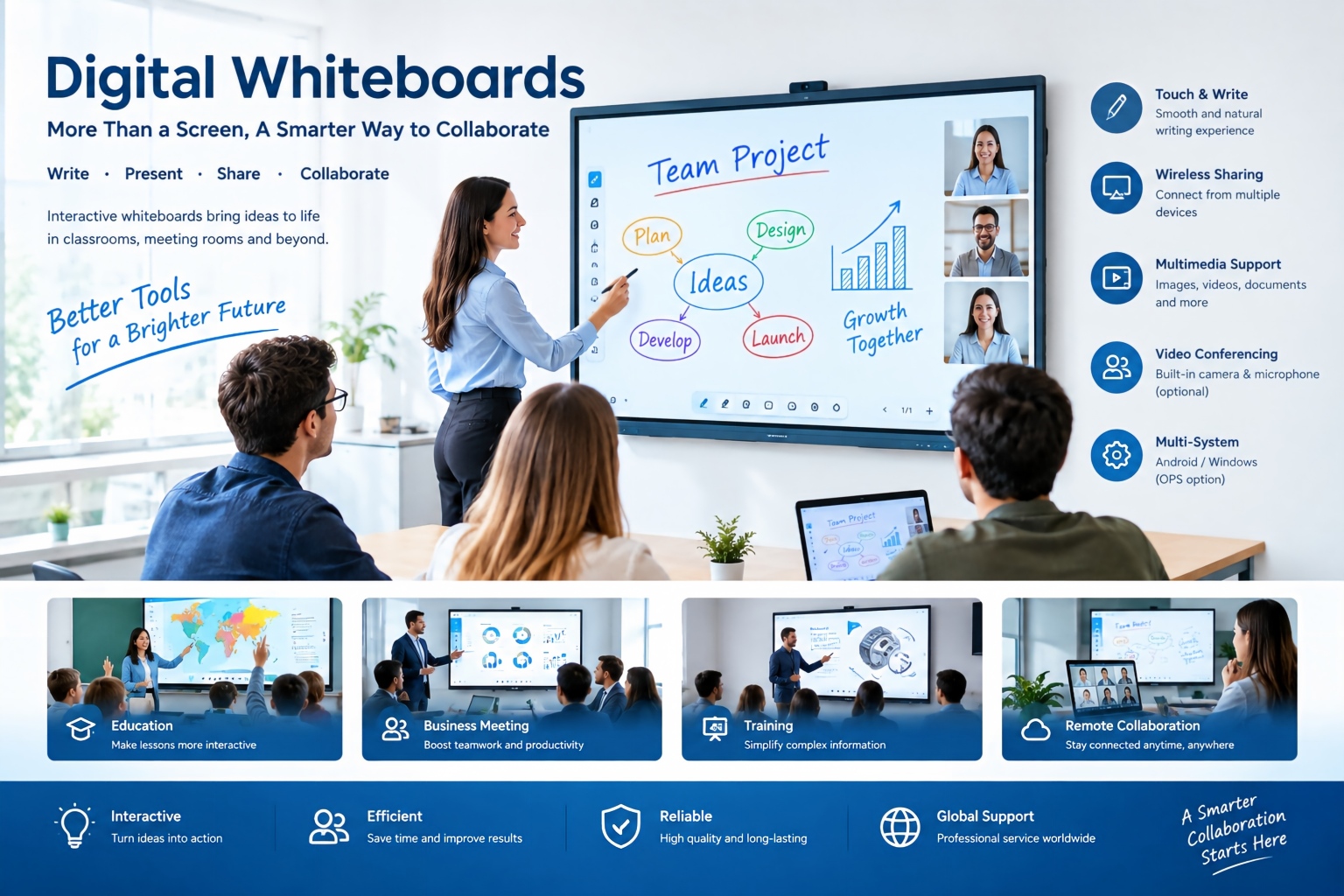
Multi-touch technology allows multiple users to write, draw, move objects and interact with digital content simultaneously.
For collaborative classrooms and meeting rooms, multi-touch capability is important because several users may need to interact with the screen at the same time.
A professional interactive whiteboard should provide:
-
accurate touch positioning;
-
fast response;
-
smooth writing;
-
palm rejection;
-
stable multi-touch performance;
-
low writing latency;
-
reliable performance across the screen.
For advanced education and business applications, up to 20, 40 or 100-point touch configurations may be available depending on the product platform.
However, more touch points do not automatically mean a better product.
The real-world writing experience depends on the complete touch system, including the touch sensor, controller, firmware, glass and software optimization.
5. Android Interactive Whiteboard: What Hardware Specifications Matter?
The Android system is increasingly important because many interactive whiteboards operate as independent all-in-one devices.
When comparing Android configurations, buyers should check:
-
Android version;
-
processor;
-
RAM;
-
internal storage;
-
GPU performance;
-
Wi-Fi;
-
Bluetooth;
-
application compatibility;
-
firmware update policy.
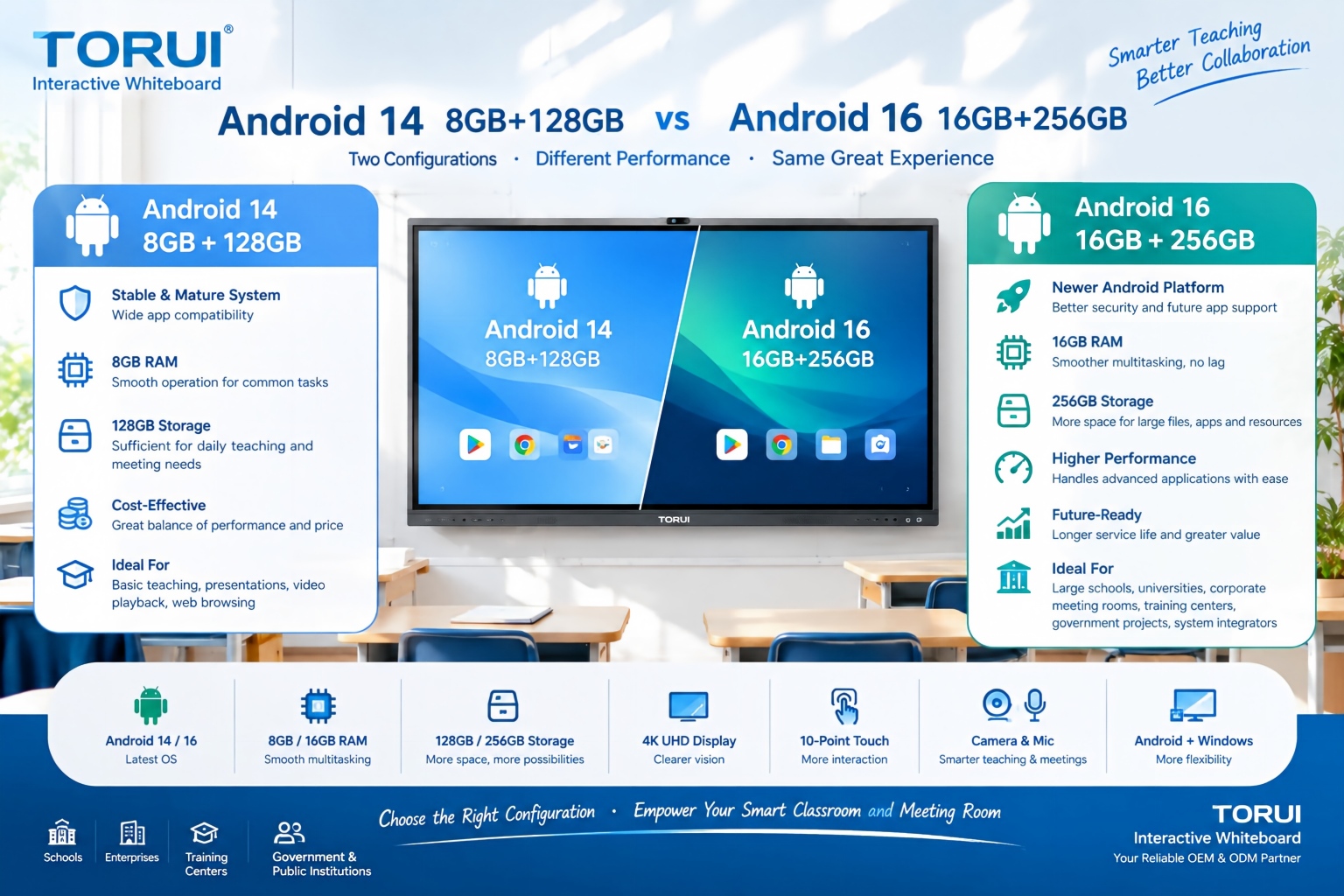
For example, buyers may encounter configurations such as:
Android 14 + 8GB RAM + 128GB storage
or higher-performance configurations such as:
Android 16 + 16GB RAM + 256GB storage.
The higher configuration can provide greater capacity for applications, local files and multitasking.
However, buyers should not choose a configuration based solely on the Android version.
The processor architecture, system optimization, firmware stability and application compatibility are equally important.
6. Do You Need an OPS PC for an Interactive Whiteboard?
An OPS PC is an optional computing module that can be installed into compatible interactive displays to provide a Windows-based computing environment.
This can be particularly useful for:
-
Microsoft Office applications;
-
Windows-based teaching software;
-
enterprise applications;
-
engineering software;
-
video conferencing platforms;
-
specialized education software;
-
corporate IT environments.
An interactive whiteboard with Android can work independently for many everyday applications.
An OPS PC provides additional Windows computing capability when customers require desktop software compatibility.
Therefore, the best configuration for B2B projects may be:
Android system + optional Windows OPS
rather than choosing only one platform.
When purchasing from a manufacturer, ask whether the display supports the required OPS specification, processor generation, memory configuration and Windows version.
7. What Camera and Microphone Specifications Matter?
For modern meeting rooms and hybrid classrooms, the camera and microphone system can significantly affect the user experience.
An interactive whiteboard may integrate:
-
HD or 4K camera;
-
wide-angle lens;
-
built-in microphones;
-
microphone array;
-
noise reduction;
-
echo cancellation;
-
automatic framing;
-
speaker tracking.
For video conferencing applications, buyers should consider more than camera resolution.
Important factors include:
camera field of view + microphone pickup + audio processing + software compatibility + room size.
For example, a wide meeting room may require a wider camera field of view than a small classroom.
8. What Connectivity Options Should an Interactive Whiteboard Have?
A professional interactive whiteboard should provide sufficient connectivity for external devices.
Common interfaces include:
-
HDMI;
-
USB;
-
USB-C;
-
LAN;
-
Wi-Fi;
-
Bluetooth;
-
audio input/output;
-
touch USB;
-
optional video input/output.
USB-C is increasingly useful because a single connection may support data, video and charging depending on the implementation.
Wireless connectivity is also important for screen sharing.
A typical meeting or classroom workflow may involve:
Laptop → Wireless Screen Sharing → Interactive Whiteboard
or:
Laptop → HDMI/USB-C → Interactive Whiteboard
A buyer should therefore evaluate both wired and wireless connectivity.
9. What Is Wireless Screen Sharing Used For?
Wireless screen sharing allows users to display content from laptops, tablets or smartphones without repeatedly connecting physical cables.
It can improve:
-
classroom interaction;
-
business presentations;
-
collaborative meetings;
-
training sessions;
-
remote collaboration.
For B2B projects, compatibility is particularly important.
Buyers should verify whether the system supports the devices commonly used in their target market, including Windows PCs, macOS devices, Android smartphones and iOS devices.
10. What Glass Should an Interactive Whiteboard Use?
The front glass is an important part of an interactive whiteboard because users continuously touch, write and interact with the display.
Important characteristics include:
-
high transparency;
-
suitable surface hardness;
-
anti-glare performance;
-
fingerprint resistance;
-
impact resistance;
-
smooth writing experience.
For commercial and education applications, high-quality tempered glass can help protect the display and improve long-term usability.
However, buyers should evaluate the complete front-panel construction rather than looking at glass thickness alone.
11. What Quality-Control Tests Should an Interactive Whiteboard Manufacturer Perform?
For distributors and system integrators, factory quality control is one of the most important supplier-selection criteria.
A professional manufacturer should have systematic quality-control procedures covering:
Incoming Material Inspection
Components such as panels, touch modules, mainboards, speakers, cameras and power supplies should be inspected before assembly.
Assembly Inspection
The production process should verify:
-
screen installation;
-
touch performance;
-
internal wiring;
-
interface functionality;
-
speaker performance;
-
camera performance.
Aging Test
Long-duration operation can help identify potential stability problems before shipment.
Touch Test
The complete touch area should be tested for:
-
accuracy;
-
response;
-
multi-touch;
-
writing performance.
Connectivity Test
Wi-Fi, Bluetooth, USB, HDMI, LAN and other interfaces should be tested according to the product configuration.
Final Inspection
The finished unit should undergo functional and appearance inspection before packaging.
For export orders, transportation simulation and packaging inspection can also be important because large-format displays are sensitive to handling and transportation conditions.
12. What Certifications Should Buyers Check?
Certification requirements vary according to the destination market.
Depending on the country and project, buyers may need to evaluate certifications such as:
-
CE;
-
FCC;
-
RoHS;
-
CCC;
-
ISO 9001;
-
country-specific market-access requirements.
However, certification names alone should not determine supplier selection.
Buyers should confirm:
-
Whether the certificate belongs to the actual manufacturer or product;
-
Whether the model covered by the certificate matches the product being purchased;
-
Whether the certification is valid for the target market;
-
Whether additional local requirements apply.
For government, education and large commercial projects, compliance documentation should be confirmed before quotation and mass production.
13. What Should Distributors Consider When Choosing an Interactive Whiteboard Manufacturer?
Distributors should evaluate the supplier from a business perspective, not only from a product perspective.
The most important factors include:
Product Range
A supplier offering several screen sizes can make it easier for distributors to build a complete product portfolio.
Manufacturing Capacity
Production capability matters when distributors need stable supply for repeated orders.
Quality Control
Consistent quality reduces after-sales problems and protects the distributor's local reputation.
OEM/ODM Capability
OEM/ODM can be important when distributors need:
-
private labeling;
-
customized UI;
-
customized packaging;
-
customized specifications;
-
localized languages;
-
market-specific configurations.
Technical Support
Technical support becomes particularly important for system integrators and project-based customers.
Spare Parts
A reliable spare-parts system can reduce downtime and simplify after-sales service.
Communication and Delivery
Fast communication, clear specifications, accurate documentation and predictable production schedules can significantly improve international cooperation.
14. What Should System Integrators Check Before Buying?
System integrators should evaluate compatibility more carefully than ordinary buyers.
Before placing an order, confirm:
-
display size;
-
resolution;
-
brightness;
-
touch technology;
-
Android version;
-
CPU;
-
RAM;
-
storage;
-
OPS compatibility;
-
camera;
-
microphone;
-
speakers;
-
wireless screen sharing;
-
network connectivity;
-
external interfaces;
-
mounting requirements;
-
software compatibility;
-
certifications;
-
warranty;
-
spare parts;
-
packaging;
-
shipping requirements.
A technically compatible product is usually more important than simply selecting the cheapest quotation.
15. What Is the Best Interactive Whiteboard for Schools?
There is no single best size or configuration for every school.
For schools, the selection should be based on:
classroom size + viewing distance + curriculum requirements + teaching software + teacher workflow + budget + after-sales support.
For smaller classrooms, 65-inch or 75-inch displays may be appropriate.
For larger classrooms, 86-inch displays can provide better visibility.
For large teaching spaces or specialized applications, 98-inch or larger models may be considered.
Schools should also pay attention to touch accuracy, writing latency, screen sharing, audio, camera functionality and software compatibility.
16. What Is the Best Interactive Whiteboard for Meeting Rooms?
For business meeting rooms, the selection should focus on collaboration rather than screen size alone.
Key functions include:
-
4K display;
-
smooth annotation;
-
wireless presentation;
-
video conferencing;
-
camera;
-
microphone;
-
speakers;
-
USB-C connectivity;
-
Windows/Android compatibility;
-
easy device switching.
A 75-inch or 86-inch interactive whiteboard can be suitable for many standard conference rooms, while larger displays may be more appropriate for large boardrooms or training centers.
17. How Should Buyers Compare Interactive Whiteboard Suppliers?
Instead of asking only:
“What is your price?”
professional B2B buyers should compare suppliers using a technical-commercial checklist.
| Evaluation Category | Key Questions |
|---|---|
| Display | Resolution? Brightness? Panel quality? |
| Touch | Touch points? Accuracy? Writing latency? |
| Android | Version? CPU? RAM? Storage? |
| Windows | OPS support? |
| Camera | Resolution? Field of view? |
| Audio | Microphone array? Speakers? |
| Connectivity | HDMI? USB-C? Wi-Fi? LAN? |
| Software | Screen sharing? Annotation? |
| Quality | Aging test? Touch test? Final inspection? |
| Certification | Which markets are covered? |
| Customization | OEM/ODM available? |
| Supply | Production capacity and lead time? |
| Support | Warranty? Spare parts? Technical support? |
This approach makes supplier comparison more objective and reduces the risk of choosing a product based only on the initial quotation.
18. Why Does the Manufacturer Matter?
Interactive whiteboards combine several technologies:
LCD panel + touch system + motherboard + operating system + audio + camera + connectivity + software + mechanical structure.
Therefore, the manufacturer's engineering capability can influence the final product experience.
A capable manufacturer should be able to coordinate these components rather than simply assemble them.
For international distributors and system integrators, direct communication with the manufacturer can also make OEM/ODM development, specification confirmation, quality control and after-sales support more efficient.
19. TORUI Interactive Whiteboard Manufacturing Capability
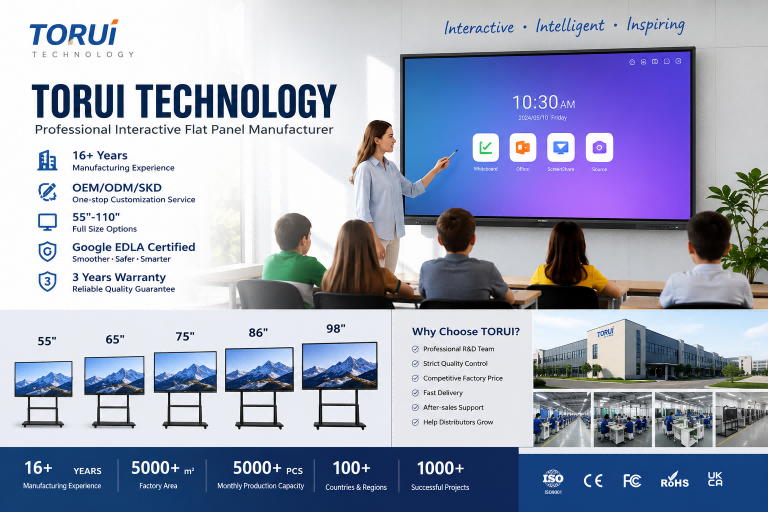
TORUI Technology is a China-based interactive whiteboard manufacturer specializing in interactive flat panel displays for smart classrooms, meeting rooms and business collaboration.
According to TORUI's current website information, the company has 16+ years of manufacturing experience and provides OEM/ODM solutions for global distributors, dealers, schools and system integrators.
TORUI's product portfolio covers 55-inch to 110-inch interactive displays, with configurations including 4K Ultra HD, multi-touch and wireless collaboration.
The company's factory is located in Foshan, Guangdong, China, and its product portfolio includes 55-inch, 65-inch, 75-inch, 86-inch, 98-inch and 110-inch models.
For B2B customers, this product range allows distributors and project integrators to select different screen sizes according to classroom, conference-room and commercial application requirements.
20. Interactive Whiteboard Buying Checklist
Before placing an order, buyers can use the following checklist:
Display
-
Screen size
-
4K resolution
-
Brightness
-
Contrast
-
Viewing angle
Touch
-
Touch technology
-
Number of touch points
-
Writing latency
-
Touch accuracy
-
Palm rejection
System
-
Android version
-
CPU
-
RAM
-
Storage
-
Windows OPS compatibility
Collaboration
-
Wireless screen sharing
-
Annotation
-
Video conferencing
-
Camera
-
Microphone
Connectivity
-
HDMI
-
USB
-
USB-C
-
LAN
-
Wi-Fi
-
Bluetooth
Manufacturing
-
Quality-control process
-
Aging test
-
Touch test
-
Final inspection
-
Packaging test
Business
-
OEM/ODM
-
MOQ
-
Lead time
-
Warranty
-
Spare parts
-
Technical support
-
Certifications
Frequently Asked Questions
What is the most important specification of an interactive whiteboard?
There is no single specification that determines overall quality. Buyers should evaluate display quality, touch performance, system configuration, connectivity, software compatibility, reliability and after-sales support together.
Is 4K necessary for an interactive whiteboard?
4K is recommended for most modern commercial and education applications because it provides greater image detail, particularly on large 86-inch, 98-inch and 110-inch displays.
How many touch points should an interactive whiteboard have?
For collaborative applications, multi-touch capability is important. However, touch accuracy, response time and writing latency are more meaningful than touch-point count alone.
Is Android enough for an interactive whiteboard?
Android can handle many common teaching, presentation and collaboration tasks. Customers requiring Windows applications can choose an interactive whiteboard with compatible OPS support.
What is an OPS PC?
An OPS PC is a modular computer designed to integrate with compatible interactive displays. It can provide Windows-based computing and support applications that may not be available on Android.
Which screen size is best for a classroom?
The correct size depends on classroom dimensions and viewing distance. 65-inch, 75-inch and 86-inch models are commonly considered for different classroom environments.
Which screen size is best for a meeting room?
75-inch and 86-inch displays can suit many standard meeting rooms, while 98-inch and 110-inch models can be considered for larger rooms and high-end applications.
What should distributors look for in an interactive whiteboard manufacturer?
Distributors should evaluate product quality, manufacturing capability, product range, OEM/ODM support, certifications, lead time, spare parts, technical support and after-sales service.
How can I compare two interactive whiteboard suppliers?
Compare the suppliers using the same technical specification checklist rather than comparing unit prices alone. Display, touch, hardware, software, quality control, certification and after-sales support should all be evaluated.
Conclusion
Choosing an interactive whiteboard is a technical and commercial decision.
The best solution should balance display performance, touch accuracy, computing capability, connectivity, collaboration features, durability, quality control, customization and after-sales support.
For distributors, wholesalers and system integrators, the manufacturer behind the product is equally important because long-term supply stability, OEM/ODM capability, technical support and quality consistency can directly influence the success of the local market.
TORUI Technology provides interactive whiteboard solutions from 55-inch to 110-inch and supports OEM/ODM cooperation for global distributors, dealers, schools and system integrators.
For a project quotation, buyers should provide the required screen size, quantity, operating system, hardware configuration, accessories, destination market and shipping requirements so the manufacturer can recommend the appropriate configuration.
How to Choose an Interactive Whiteboard Manufacturer for Your Market: A B2B Buyer’s Guide
Related Article