
Analysis of the advantages and disadvantages of different sizes of smart interactive whiteboards
author: toruitech
2025-07-07
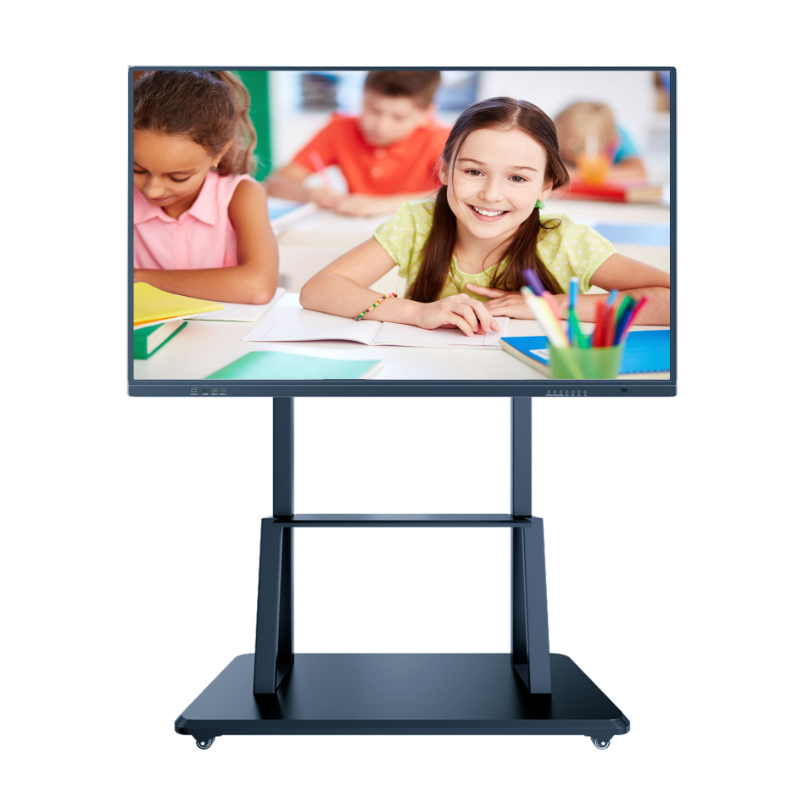
Smart interactive whiteboards are modern teaching and conference equipment that combines touch screen technology and computer functions. It can significantly improve teaching efficiency and conference results, and is widely used in schools, corporate training, and conference rooms. Smart interactive whiteboards come in a variety of sizes, mainly including 55 inches, 65 inches, 75 inches, 86 inches, 98 inches, and 110 inches. They each have their own advantages and disadvantages, and choosing the right size is crucial to the use effect.
First of all, the 55-inch smart interactive whiteboard is suitable for small classrooms or conference rooms. Its advantages are small footprint, high flexibility, and relatively low price. Due to its small size, it is easy to move and install, and is very suitable for small occasions where the layout needs to be adjusted frequently. However, a 55-inch whiteboard may appear cramped when displaying large-format content, and the space is slightly insufficient if multiple people need to operate at the same time.
65-inch and 75-inch smart interactive whiteboards are common choices for medium-sized classrooms and conference rooms. A 65-inch whiteboard can provide clearer image and text display, suitable for medium-sized audiences. 75-inch whiteboards have more advantages in display area and interactivity, and can meet a wider range of teaching or collaboration needs. Their main disadvantages are that they are more expensive than 55-inch whiteboards and take up more space.
86-inch smart interactive whiteboards are very suitable for large classrooms and conference rooms. Its large screen display can ensure clarity when viewed from a distance, and is suitable for displaying a large audience and complex content. In addition, the 86-inch whiteboard provides a rich operating area when multiple people interact at the same time, which significantly improves the collaboration effect. However, it is relatively difficult to install and move, and requires a large space and budget support.
98-inch and 110-inch smart interactive whiteboards have a large display area and are suitable for large lecture halls, report halls or corporate conference rooms. This size provides excellent visual effects and can easily display complex graphics and data, so that every audience can see the content clearly. The disadvantages of this type of whiteboard are that it is expensive, has high installation and maintenance requirements, and has strict requirements on the size of the room.
In general, smart interactive whiteboards of different sizes have their own advantages and disadvantages. When choosing, you need to consider the actual usage scenario, space size and budget arrangement. For small classrooms and conference rooms, 55-inch or 65-inch whiteboards are cost-effective choices; for medium-sized occasions, 75-inch whiteboards can be considered; and for large venues, 86-inch and above whiteboards can provide a better user experience. In short, the reasonable selection of the size of the smart interactive whiteboard can greatly improve the quality and efficiency of teaching and meetings.
How to choose an intelligent interactive whiteboard?
Why do schools need smart interactive whiteboards?
Related Article

Choosing the right interactive whiteboard size is an important decision for distributors, wholesalers, and education technology suppliers. The 65-inch, 75-inch, and 86-inch interactive whiteboards are popular options for classrooms, meeting rooms, training centers, and commercial projects.
65 vs 75 vs 86-Inch Interactive Whiteboard: Which Model Should Distributors Choose?

Choosing the right interactive whiteboard manufacturer in China is an important decision for distributors, wholesalers, education technology suppliers, and system integrators. The right manufacturing partner can help businesses improve product quality, maintain competitive pricing, customize products for local markets, and build a sustainable distribution business.
Who Are the Best Interactive Whiteboard Manufacturers in China for B2B Distributors and Wholesalers?

Choosing an interactive whiteboard involves more than comparing screen sizes and prices. For schools, businesses, distributors, wholesalers, and system integrators, understanding the technical specifications is essential to selecting a reliable product that meets different application requirements.
Interactive Whiteboard Technical Specifications Explained: A Complete Guide to CPU, RAM, Storage, Touch, Panel, OPS, Camera and Connectivity

Choosing an interactive whiteboard for a school, meeting room, training center, government organization or commercial project requires more than comparing screen size and price. The most important specifications include display resolution, brightness, touch technology, operating system, processor, memory, storage, OPS compatibility, camera and microphone performance, connectivity, durability and after-sales support.
How to Choose an Interactive Whiteboard: A Technical Guide to Display, Touch, OS, OPS, Camera and Connectivity