
Smart Whiteboard Cost: A Complete Guide for Schools and Businesses
author: toruitech
2025-09-22
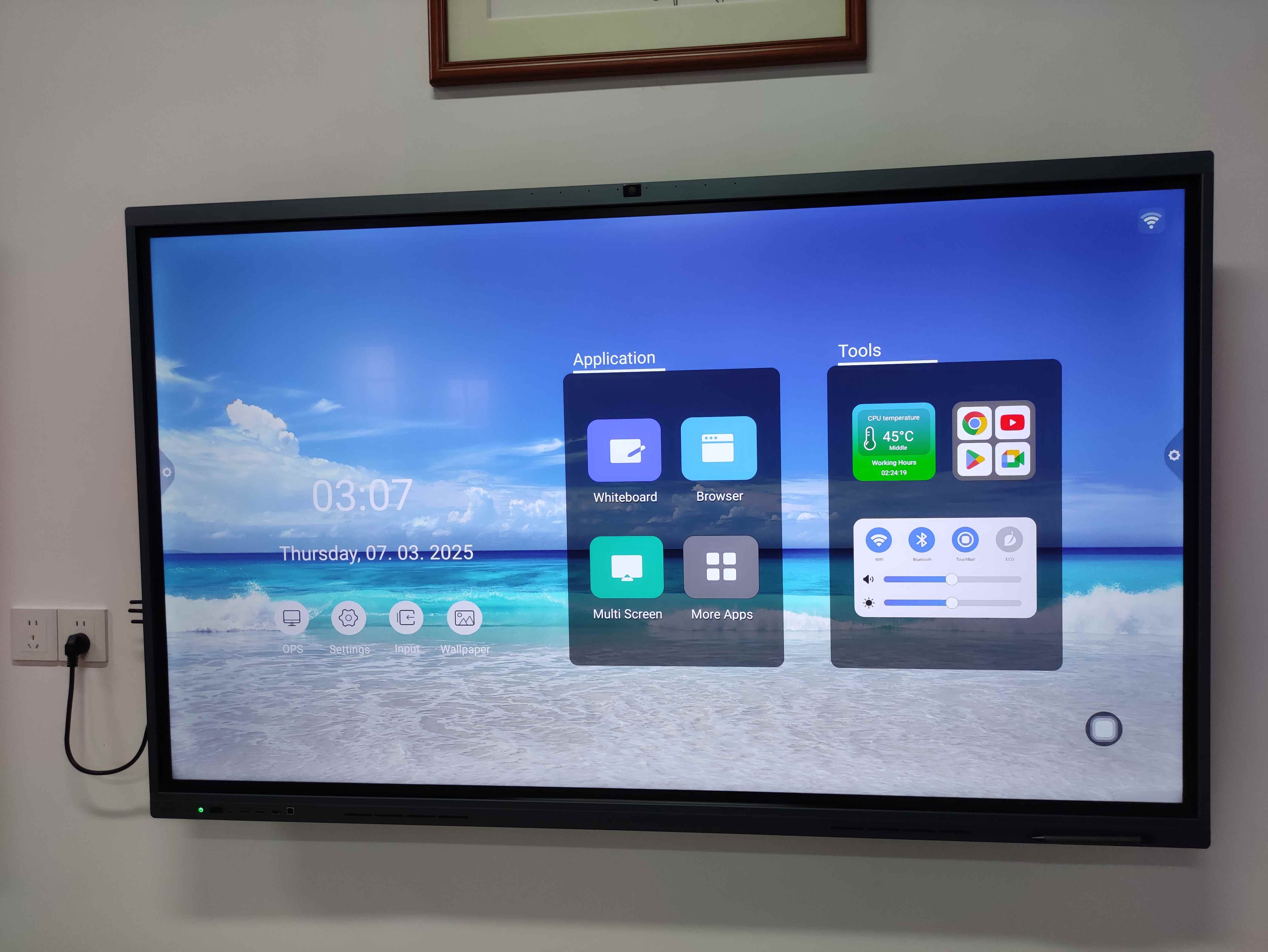
When schools, universities, and companies look to upgrade their classrooms or meeting rooms, smart whiteboards often top the list of modern solutions. Also known as interactive whiteboards, these devices combine touchscreen technology, wireless connectivity, and collaboration software to create a more engaging learning or working environment. One of the most common questions decision-makers ask is: How much does a smart whiteboard cost? The answer depends on multiple factors such as brand, size, features, and installation. This article provides a clear overview to help you make an informed decision.
Typical Price Range
Smart whiteboard prices generally range between $1,000 and $6,000 per unit. Smaller, entry-level models may fall at the lower end, while premium solutions with advanced software and large screens can exceed this range. For bulk orders, such as equipping an entire school or corporate office, many manufacturers offer discounts or package deals.
-
Entry-Level Models ($1,000–$2,500): Usually 55–65 inches, suitable for small classrooms or huddle rooms. Basic touch functions and simple collaboration tools are included.
-
Mid-Range Models ($2,500–$4,000): Typically 65–75 inches, offering better resolution (often 4K), improved multi-touch, and more robust integration with platforms like Zoom, Microsoft Teams, or Google Workspace.
-
High-End Models ($4,000–$6,000+): Often 75–86 inches or larger, with advanced features such as handwriting recognition, wireless screen sharing, built-in cameras, and enterprise-grade software.
Key Factors Influencing Cost
-
Size of the Display
Larger screens naturally cost more. A 55-inch smart whiteboard may be enough for small rooms, but in lecture halls or conference spaces, an 86-inch model is often required for visibility. -
Touch Technology
Capacitive or infrared touch systems vary in cost. Capacitive panels, similar to those in smartphones, offer higher precision but come at a premium. -
Software and Licenses
Some manufacturers include collaboration software, while others charge subscription fees. Make sure to factor in the long-term cost of licensing. -
Connectivity and Integration
Devices that integrate seamlessly with video conferencing platforms or learning management systems may cost more upfront but save time and resources later. -
Installation and Accessories
Wall mounts, mobile stands, cameras, or sound systems add to the total investment. Professional installation is often recommended for stability and warranty compliance. -
Brand Reputation and Support
Established brands often charge more, but they usually provide better customer service, warranty coverage, and training support.
Cost of Ownership Beyond Purchase
The initial price is only part of the equation. Schools and businesses should also consider:
-
Maintenance: Firmware updates, occasional repairs, or replacement of accessories.
-
Training: Staff may need training to maximize the features. Some suppliers include training in the package, while others charge extra.
-
Software Updates: Ongoing subscription fees may apply. These range from $50 to $300 annually per unit, depending on the platform.
Cost Comparison with Alternatives
While traditional projectors may seem cheaper initially, their long-term maintenance—bulb replacements, calibration, and limited interactive features—often makes them less cost-effective over time. Smart whiteboards, though higher in upfront cost, deliver better durability, functionality, and energy efficiency, which can result in savings across years of use.
How to Get the Best Value
-
Define Your Needs Clearly: A small business may not need the largest or most advanced model. Conversely, a university lecture hall requires high visibility and advanced collaboration tools.
-
Compare Multiple Vendors: Request quotations from at least three suppliers to understand the cost differences.
-
Look for Bundled Offers: Some vendors include stands, training, and software licenses in the package, which can reduce hidden costs.
-
Plan for Scalability: If you intend to expand in the future, choose a system that can be easily upgraded or integrated with additional units.
Conclusion
Smart whiteboard costs vary widely depending on size, features, and brand, but most solutions fall between $1,000 and $6,000. While the initial investment may seem significant, the long-term benefits in terms of improved collaboration, interactivity, and efficiency often justify the expense. By carefully assessing needs, comparing suppliers, and considering both upfront and ongoing costs, schools and businesses can ensure they invest in a solution that delivers maximum value.
Understanding Interactive Technology: Transforming Education, Business, and Daily Life
Boards for Schools | Evolution from Chalkboards to Interactive Whiteboards
Related Article

Choosing the right interactive whiteboard size is an important decision for distributors, wholesalers, and education technology suppliers. The 65-inch, 75-inch, and 86-inch interactive whiteboards are popular options for classrooms, meeting rooms, training centers, and commercial projects.
65 vs 75 vs 86-Inch Interactive Whiteboard: Which Model Should Distributors Choose?

Choosing the right interactive whiteboard manufacturer in China is an important decision for distributors, wholesalers, education technology suppliers, and system integrators. The right manufacturing partner can help businesses improve product quality, maintain competitive pricing, customize products for local markets, and build a sustainable distribution business.
Who Are the Best Interactive Whiteboard Manufacturers in China for B2B Distributors and Wholesalers?

Choosing an interactive whiteboard involves more than comparing screen sizes and prices. For schools, businesses, distributors, wholesalers, and system integrators, understanding the technical specifications is essential to selecting a reliable product that meets different application requirements.
Interactive Whiteboard Technical Specifications Explained: A Complete Guide to CPU, RAM, Storage, Touch, Panel, OPS, Camera and Connectivity

Choosing an interactive whiteboard for a school, meeting room, training center, government organization or commercial project requires more than comparing screen size and price. The most important specifications include display resolution, brightness, touch technology, operating system, processor, memory, storage, OPS compatibility, camera and microphone performance, connectivity, durability and after-sales support.
How to Choose an Interactive Whiteboard: A Technical Guide to Display, Touch, OS, OPS, Camera and Connectivity