
Benefits of Interactive Whiteboards for Education
author: toruitech
2026-03-08
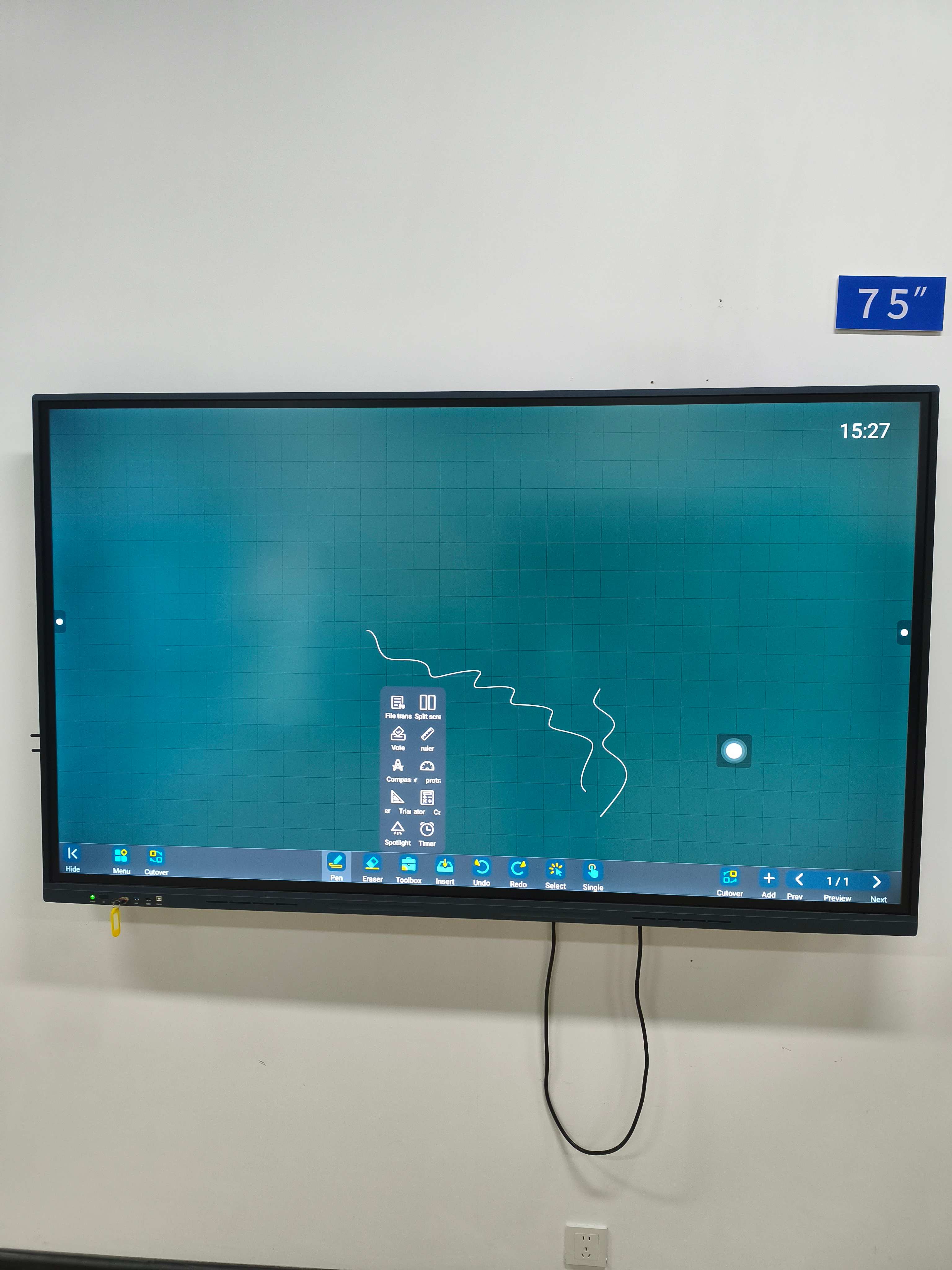
In recent years, interactive whiteboards (IWBs) have transformed the educational landscape by offering a more dynamic and engaging learning environment. These digital displays, equipped with touch-sensitive surfaces, allow both teachers and students to interact with the content directly on the board. Whether in classrooms, lecture halls, or training centers, IWBs are now widely recognized for their ability to enhance teaching and improve student engagement. Here’s an in-depth look at the benefits of interactive whiteboards for education.
1. Enhanced Engagement and Interactivity
One of the most significant advantages of interactive whiteboards is their ability to engage students actively. Traditional teaching methods, such as lectures or textbook reading, often fail to capture students’ attention for extended periods. With IWBs, educators can integrate multimedia resources like videos, animations, interactive exercises, and real-time polling. This multimedia approach helps break the monotony and makes learning more enjoyable. Moreover, students can come up to the board, write, draw, or solve problems directly, making them more involved in the lesson. This active participation encourages greater focus and retention of information.
2. Improved Collaboration
Interactive whiteboards facilitate collaborative learning by enabling multiple students to interact with the screen at the same time. Teachers can encourage group activities, brainstorming sessions, and collaborative problem-solving by having students use the board together. This promotes teamwork, communication, and critical thinking—skills that are crucial in both academic and real-world settings. Group work is further enhanced by the ability to share digital notes and ideas with the class instantly.
3. Enhanced Visual Learning
Many students learn better when they can see concepts in action, and interactive whiteboards make it easy to display lessons in a visual format. Teachers can draw diagrams, highlight key points, and use color coding to emphasize important information. In subjects like science, mathematics, and geography, IWBs allow teachers to demonstrate complex concepts visually through interactive graphs, maps, and simulations. This visual representation not only makes abstract concepts easier to understand but also helps in catering to different learning styles, such as visual learners.
4. Increased Accessibility and Inclusivity
Interactive whiteboards support a variety of learning needs, making education more inclusive. They offer adjustable text sizes, high-contrast colors, and screen readers for students with visual impairments. For students with learning difficulties such as dyslexia, the interactive nature of IWBs allows for personalized learning experiences. Teachers can use apps and tools designed to help students work at their own pace, allowing them to address diverse learning challenges effectively. The flexibility of interactive whiteboards ensures that every student, regardless of ability, has access to a quality learning experience.
5. Real-Time Feedback and Assessment
Another compelling benefit of interactive whiteboards is their ability to provide instant feedback. Teachers can assess students’ progress during lessons by using quizzes, polls, or interactive exercises. Students can submit answers or complete activities directly on the board, and teachers can immediately review their responses, making it easier to identify areas of improvement. This real-time assessment allows for immediate correction and helps teachers tailor their instruction to meet the needs of individual students. Instant feedback also motivates students by providing a sense of accomplishment when they see their results immediately.
6. Access to a Wide Range of Digital Resources
Interactive whiteboards are not just limited to what is written on the board. They allow teachers to access a vast array of digital resources, including online libraries, educational apps, websites, and interactive learning platforms. Teachers can bring in up-to-date content from the internet, use virtual field trips, or invite guest speakers from across the world. The ability to incorporate such a wide variety of resources into lessons enhances the overall learning experience and ensures that students are exposed to diverse perspectives and information.
7. Better Classroom Management
IWBs improve classroom management by keeping students more focused and attentive. When students are actively involved in the lesson through interactive activities and visual learning tools, they are less likely to be distracted. Teachers can control the flow of the lesson by directing attention to the board, minimizing disruptions. Additionally, the interactive nature of the whiteboard encourages students to stay engaged and participate in the lesson, reducing the chances of students losing focus.
Conclusion
The benefits of interactive whiteboards for education are clear. From enhanced engagement and improved collaboration to greater accessibility and real-time feedback, these tools have revolutionized the way teachers teach and students learn. By making learning more interactive, visual, and inclusive, IWBs offer a modern solution to the challenges of traditional education. Schools that invest in interactive whiteboards are preparing their students for the future, where digital literacy and collaboration will be vital skills in both academic and professional environments. As technology continues to advance, the role of interactive whiteboards in education will only grow, making them an essential tool for modern learning.
Interactive Whiteboard vs Touch Screen Display: Understanding the Key Differences
LED vs LCD Interactive Whiteboard: Which Is Better for Education and Business?
Related Article

Choosing the right interactive whiteboard size is an important decision for distributors, wholesalers, and education technology suppliers. The 65-inch, 75-inch, and 86-inch interactive whiteboards are popular options for classrooms, meeting rooms, training centers, and commercial projects.
65 vs 75 vs 86-Inch Interactive Whiteboard: Which Model Should Distributors Choose?

Choosing the right interactive whiteboard manufacturer in China is an important decision for distributors, wholesalers, education technology suppliers, and system integrators. The right manufacturing partner can help businesses improve product quality, maintain competitive pricing, customize products for local markets, and build a sustainable distribution business.
Who Are the Best Interactive Whiteboard Manufacturers in China for B2B Distributors and Wholesalers?

Choosing an interactive whiteboard involves more than comparing screen sizes and prices. For schools, businesses, distributors, wholesalers, and system integrators, understanding the technical specifications is essential to selecting a reliable product that meets different application requirements.
Interactive Whiteboard Technical Specifications Explained: A Complete Guide to CPU, RAM, Storage, Touch, Panel, OPS, Camera and Connectivity

Choosing an interactive whiteboard for a school, meeting room, training center, government organization or commercial project requires more than comparing screen size and price. The most important specifications include display resolution, brightness, touch technology, operating system, processor, memory, storage, OPS compatibility, camera and microphone performance, connectivity, durability and after-sales support.
How to Choose an Interactive Whiteboard: A Technical Guide to Display, Touch, OS, OPS, Camera and Connectivity