
Comparative Advantages of TORUI Interactive Whiteboards
author: toruitech
2025-11-28
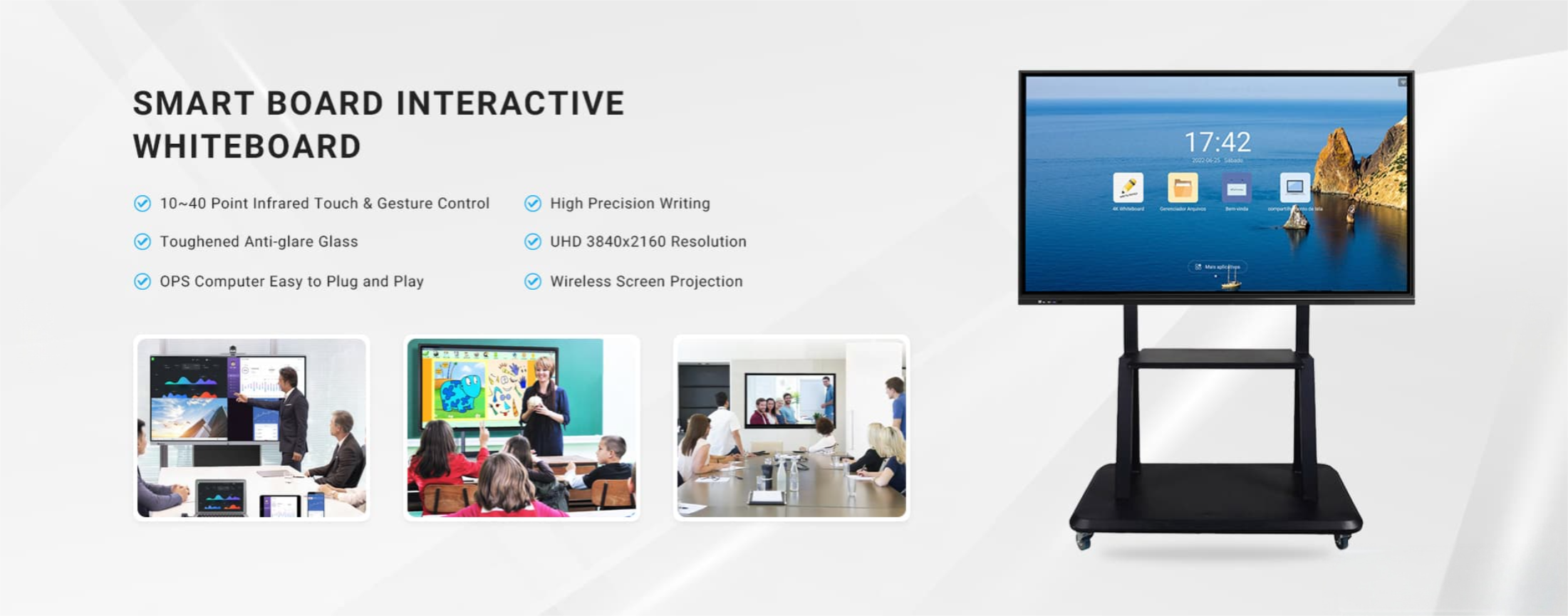
Choosing the right interactive whiteboard is essential for schools, enterprises, training centers, and government institutions seeking to upgrade their digital collaboration experience. TORUI Interactive Whiteboards stand out in a competitive global market thanks to their strong manufacturing capabilities, advanced technologies, and user-centered design. Below is an in-depth review of TORUI’s key advantages compared with typical products in the same category.
1. Superior Display Quality for Clearer Visual Experience
TORUI integrates high-brightness, 4K ultra-HD displays with anti-glare tempered glass, ensuring a clear and comfortable viewing experience even in bright classrooms or meeting rooms. Compared with standard interactive displays that often struggle under strong lighting, TORUI’s enhanced optical bonding technology reduces reflection and improves color accuracy. Users benefit from sharper images, better contrast, and more immersive content presentations.
2. Fast and Accurate Writing Performance
One of TORUI’s strongest advantages lies in writing fluency. Using advanced infrared or capacitive touch technology (depending on model), TORUI ensures near-zero latency writing, precise touch response, and highly accurate handwriting recognition. Compared with ordinary whiteboards that may delay or misrecognize strokes, TORUI provides a smooth, pen-on-paper writing feel. This makes classroom annotations, brainstorming, and business presentations significantly more efficient.
3. Robust Software Ecosystem and Powerful Annotation Tools
TORUI offers an intuitive interface and a full suite of built-in software tools for teaching and conferencing. Real-time annotation, screen split, gesture shortcuts, wireless projection, and multi-device collaboration bring a seamless interactive experience. Many competing brands rely mainly on basic annotation functions, but TORUI enhances them with intelligent writing recognition, shape correction, and multi-page whiteboarding. These features help educators deliver engaging lessons and support enterprises in dynamic collaboration.
4. Strong Manufacturing Capability and Quality Assurance
With over 15 years of experience in interactive display manufacturing, TORUI is recognized for its strict quality control and stable supply chain. Every unit undergoes aging tests, drop tests, and performance inspections. Compared with small factories that offer inconsistent quality or limited after-sales support, TORUI provides reliable, export-ready products that meet global standards. The company’s professional production lines ensure consistent performance, durability, and long service life.
5. Flexible Customization Options for Global Markets
TORUI supports multiple customization options—OS configurations, RAM/ROM combinations, screen sizes, camera modules, OPS PCs, colors, and software branding (OEM/ODM). This flexibility gives distributors and project integrators a significant advantage when targeting diverse markets with different requirements. Many traditional brands offer fixed configurations, while TORUI’s adaptability helps clients achieve better localization and market competitiveness.
6. Comprehensive After-Sales Support and Training
TORUI emphasizes customer satisfaction through responsive technical support, documentation, remote training, and global service coverage. Compared with vendors that provide limited post-sales assistance, TORUI’s full-process service system ensures that clients receive installation guidance, troubleshooting help, and long-term maintenance support. This enhances user trust and reduces operational downtime.
7. Competitive Pricing Without Compromising Quality
Another strong advantage of TORUI is its cost-effectiveness. By maintaining efficient production and supply chain management, TORUI offers competitive pricing while still delivering premium performance and build quality. This makes TORUI particularly attractive for large education projects, government bids, and business procurement where budget optimization is crucial.
Conclusion
TORUI Interactive Whiteboards excel in display clarity, writing performance, software functionality, customization, durability, and after-sales service. These strengths collectively offer a more advanced and reliable digital collaboration solution compared with many competing brands. Whether for modern classrooms or professional conference rooms, TORUI delivers a powerful combination of technology, user experience, and value—making it a leading choice for global customers.
Factory Strength Introduction: Delivering Reliable Interactive Whiteboards Through Professional Manufacturing Excellence
Introduction to Interactive Whiteboard Annotation Features
Related Article

Choosing the right interactive whiteboard size is an important decision for distributors, wholesalers, and education technology suppliers. The 65-inch, 75-inch, and 86-inch interactive whiteboards are popular options for classrooms, meeting rooms, training centers, and commercial projects.
65 vs 75 vs 86-Inch Interactive Whiteboard: Which Model Should Distributors Choose?

Choosing the right interactive whiteboard manufacturer in China is an important decision for distributors, wholesalers, education technology suppliers, and system integrators. The right manufacturing partner can help businesses improve product quality, maintain competitive pricing, customize products for local markets, and build a sustainable distribution business.
Who Are the Best Interactive Whiteboard Manufacturers in China for B2B Distributors and Wholesalers?

Choosing an interactive whiteboard involves more than comparing screen sizes and prices. For schools, businesses, distributors, wholesalers, and system integrators, understanding the technical specifications is essential to selecting a reliable product that meets different application requirements.
Interactive Whiteboard Technical Specifications Explained: A Complete Guide to CPU, RAM, Storage, Touch, Panel, OPS, Camera and Connectivity

Choosing an interactive whiteboard for a school, meeting room, training center, government organization or commercial project requires more than comparing screen size and price. The most important specifications include display resolution, brightness, touch technology, operating system, processor, memory, storage, OPS compatibility, camera and microphone performance, connectivity, durability and after-sales support.
How to Choose an Interactive Whiteboard: A Technical Guide to Display, Touch, OS, OPS, Camera and Connectivity