
Daily Use and Maintenance of Interactive Whiteboards
author: toruitech
2025-09-08
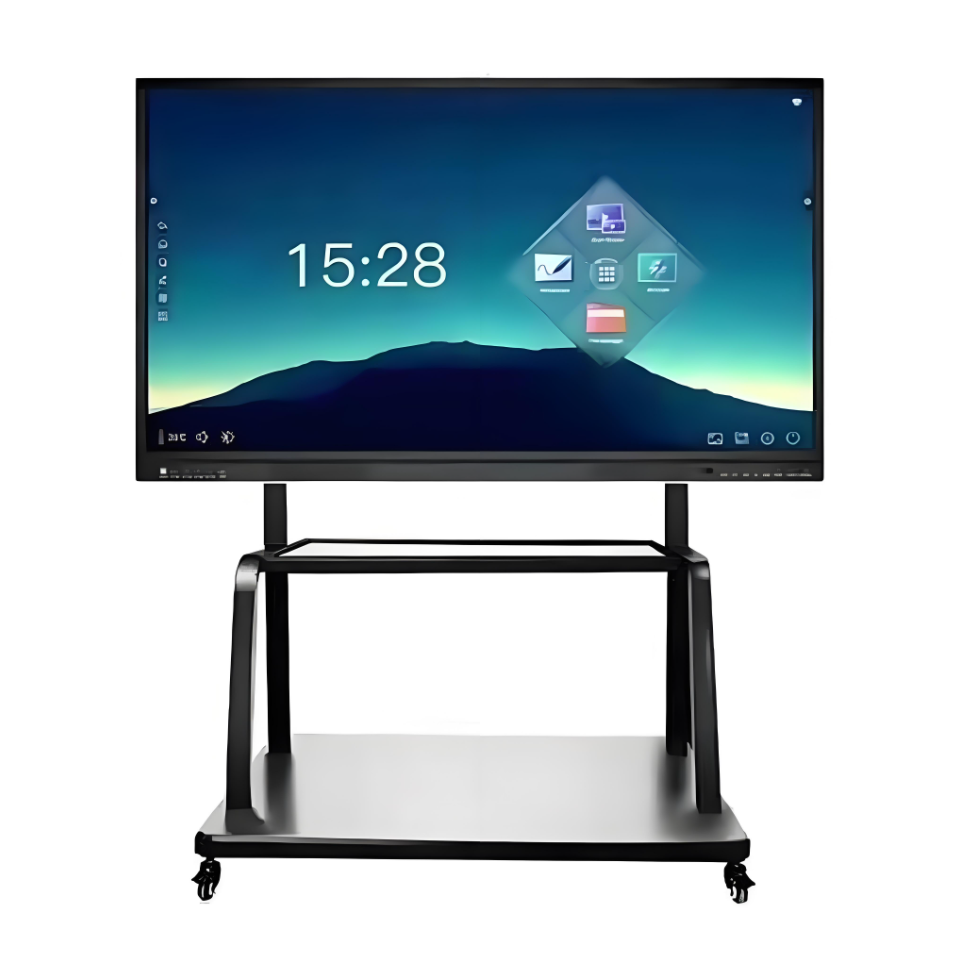
As an essential smart device in modern education and business, interactive whiteboards significantly enhance teaching and office efficiency with their highly interactive and multimedia display capabilities. To ensure long-term stable operation and a quality user experience, scientific and standardized daily use and maintenance are crucial. The following details usage precautions, cleaning and maintenance, and system management.
1. Daily Use Precautions
Interactive whiteboards are typically made of high-quality, wear-resistant materials, but they still require careful protection during daily use. First, it is recommended to use only a dedicated electronic pen or your finger for writing and operation. Avoid using ordinary pens, sharp objects, or other non-specialized tools to prevent scratches or damage to the surface, which can affect touch sensitivity and writing quality. Second, avoid contact with magnetic objects, as these may interfere with the whiteboard's signal response and affect normal operation. Furthermore, avoid applying forceful impacts or excessive pressure to the surface to prevent hardware damage.
During teaching or meetings, it is recommended to manage whiteboard usage appropriately to avoid prolonged, high-load operation. If the whiteboard needs to be moved, disconnect the power cord and properly pack it to prevent damage to the screen and surface.
II. Cleaning and Maintenance
To maintain the interactive whiteboard's display quality and touch sensitivity, the surface requires regular cleaning. For frequent use, it's recommended to clean it at least once a week. Turn off the whiteboard system before cleaning to prevent accidental operation. Gently wipe the surface with a clean, soft cloth. Never use a dry cloth directly to avoid static electricity. Wring out damp cloths to prevent water dripping onto the board or onto the frame. For stubborn stains, try a small area of non-abrasive alcohol or glass cleaner, or a dedicated whiteboard cleaner. Spray on a small area and then gently wipe with a paper towel.
It's important to note that writing on the whiteboard with oil-based markers is strictly prohibited. If accidentally used, immediately wipe gently with a cotton pad dipped in alcohol to prevent residual marks that may affect its appearance and functionality. Writing should not be left on the board for extended periods, as this can make removal difficult.
III. System Management and Security Maintenance
Interactive whiteboards are often connected to computers, projectors, and other devices, so system maintenance is equally important. Regularly check system software and promptly update security patches and upgrades to prevent virus intrusion and data loss. Turn off the power when the device is not in use to prevent safety hazards such as lightning strikes. Avoid abnormal shutdowns, frequent powering on and off, or haphazardly plugging and unplugging cables to prevent hardware damage.
If the device malfunctions or malfunctions, contact a professional for immediate inspection. Do not disassemble it yourself to avoid further malfunctions.
IV. Management and Recordkeeping
It is recommended that a dedicated person be responsible for the daily management and maintenance of the interactive whiteboard. Regularly check the device's status and maintain usage and maintenance records. Conduct a comprehensive inspection every semester or quarter to promptly address any issues and ensure smooth teaching and office activities.
Conclusion
Scientific use and maintenance of the interactive whiteboard not only extends the device's lifespan but also ensures efficient daily teaching and office operations. With careful operation, regular maintenance, and standardized management, the interactive whiteboard will continue to provide users with a high-quality interactive experience and intelligent services.
Interactive Technology Makes Learning Accessible and Equalizes Education
Interactive Flat Panels: Leading the New Trend in Smart Education and Efficient Office Work
Related Article
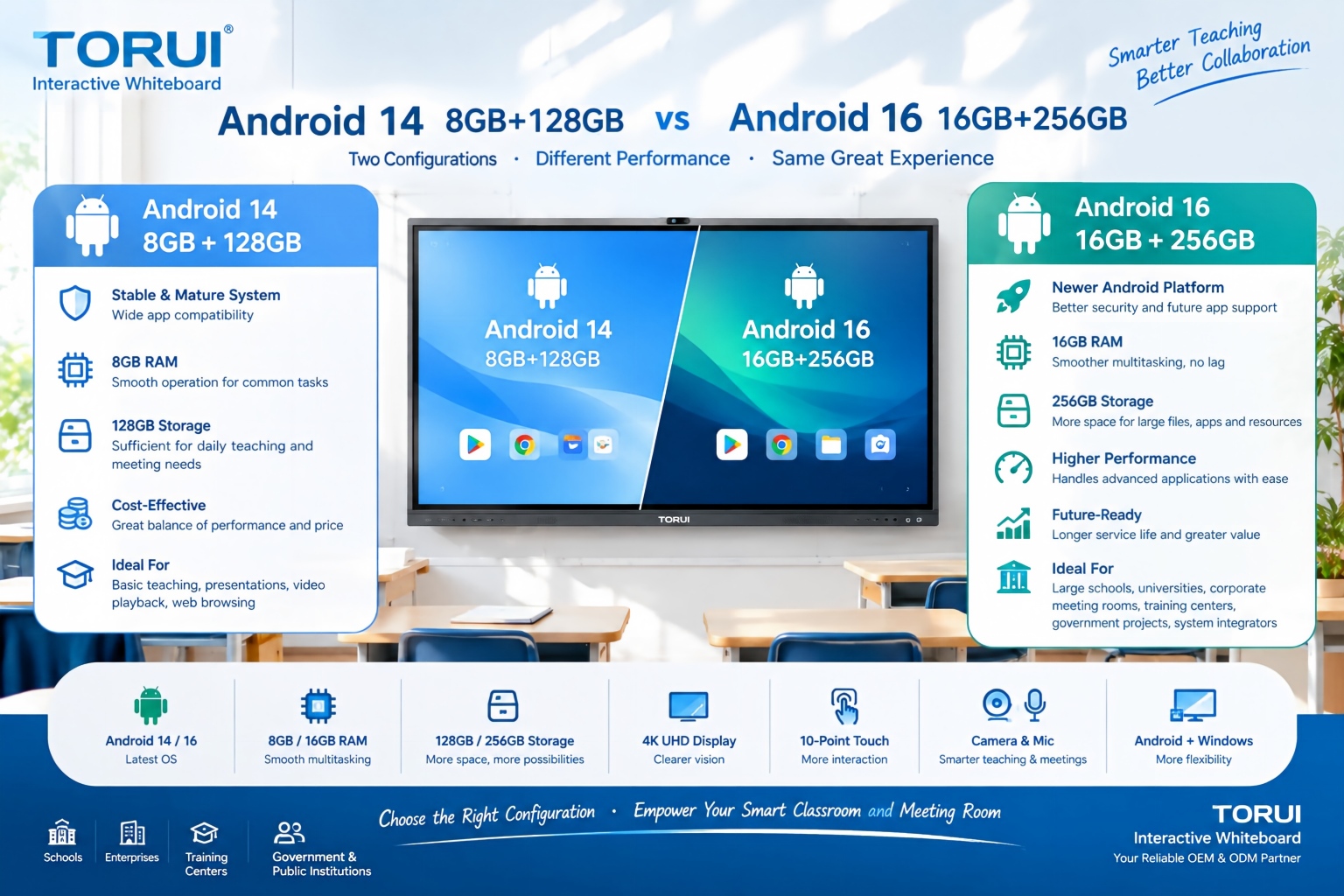
When choosing an interactive whiteboard for a school, training center, meeting room, or commercial project, the Android version and hardware configuration can significantly affect user experience. Two common configurations are Android 14 with 8GB RAM and 128GB storage and Android 16 with 16GB RAM and 256GB storage.
Android 14 8GB+128GB vs Android 16 16GB+256GB: Which Interactive Whiteboard Is Better?

Buying an interactive whiteboard is not simply about choosing the right screen size, resolution, or operating system. For B2B buyers, distributors, system integrators, schools, and corporate procurement teams, quality control is one of the most important factors affecting long-term reliability, user experience, warranty costs, and customer satisfaction.
Interactive Whiteboard Quality Control: What Should Buyers Check?
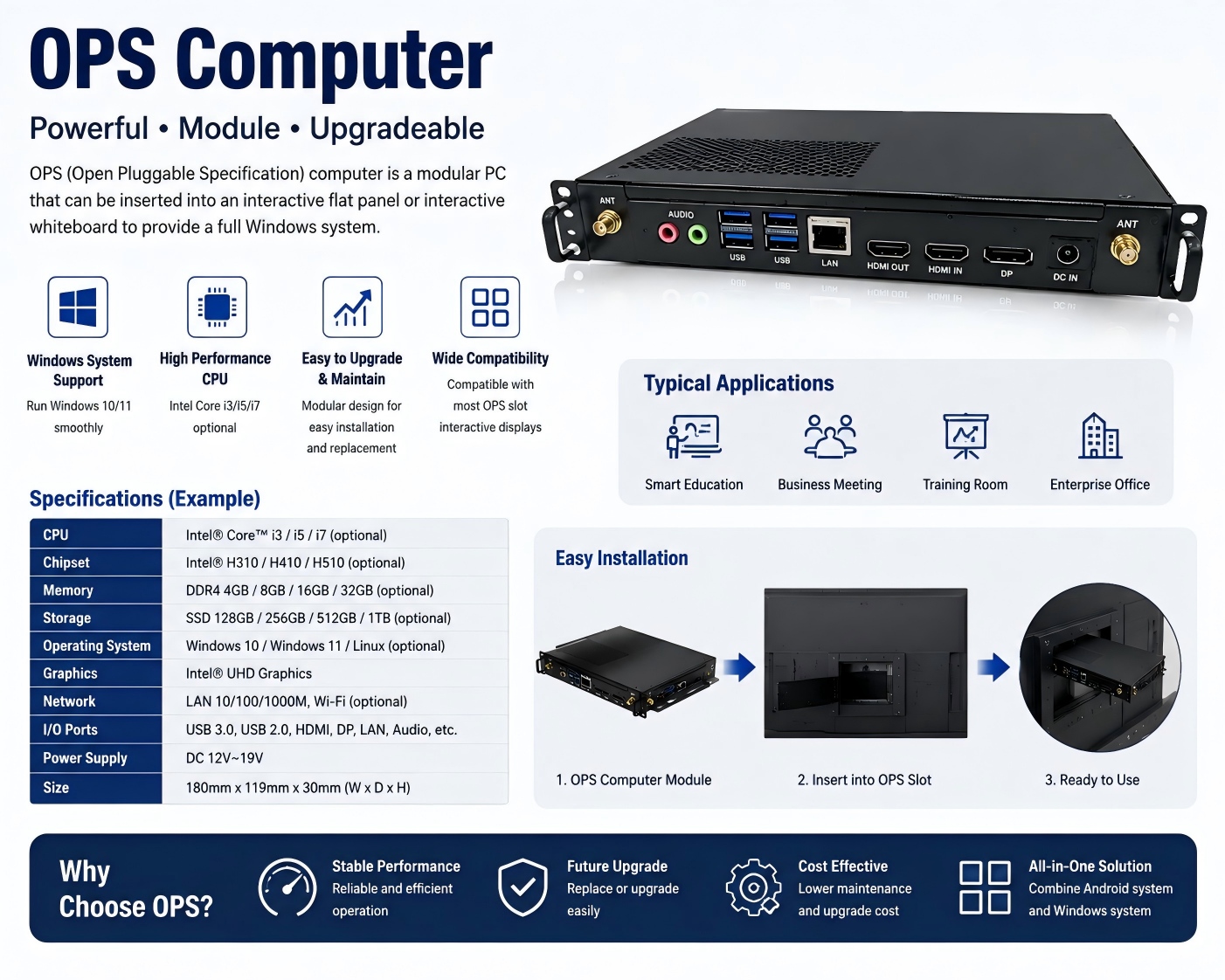
An OPS computer for an interactive whiteboard is a modular plug-in PC designed to add Windows-based computing power to an interactive display. OPS stands for Open Pluggable Specification, a standardized form factor originally developed for commercial interactive displays.
What Is an OPS Computer for Interactive Whiteboards?

Choosing the right chipset is an important decision when sourcing an interactive whiteboard for schools, conference rooms, training centers, government projects, or commercial applications. Among Rockchip platforms, RK3588 and RK3576 are two powerful options for modern Android interactive displays.
RK3588 vs RK3576: Which Chip Is Better for Interactive Whiteboards?