
HD vs 4K in Interactive Whiteboards, Conference Displays, and Commercial Screens
author: toruitech
2026-02-24
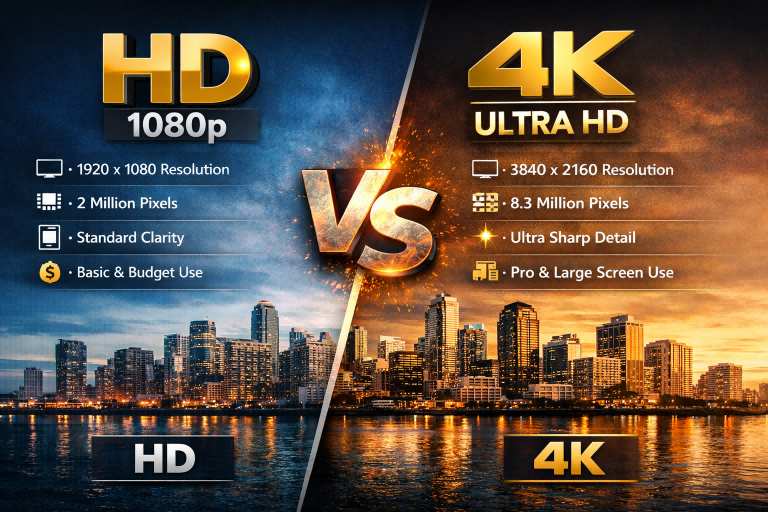
When selecting an interactive whiteboard, all-in-one meeting display, or commercial screen, resolution is a critical factor that directly affects usability, visual clarity, and long-term value. The most common comparison today is HD (Full HD) versus 4K (Ultra HD). While both are still used in the market, their performance differs significantly depending on screen size and application.
1. Resolution and Technical Differences
HD (1920 × 1080) delivers approximately 2 million pixels, while 4K (3840 × 2160) provides over 8 million pixels—four times the pixel density of HD. On large-format displays, this difference has a major impact on sharpness, text readability, and image precision.
For interactive and commercial displays that typically range from 55 to 98 inches, resolution is far more noticeable than on small consumer screens.
2. Interactive Whiteboards: HD vs 4K
HD Interactive Whiteboards
-
Suitable for basic classroom use or budget-driven projects
-
Adequate for simple presentations and standard video playback
-
Text and handwriting may appear less sharp on screens above 65 inches
-
Limited when displaying detailed diagrams, spreadsheets, or split screens
4K Interactive Whiteboards
-
Ideal for modern smart classrooms and training centers
-
Sharper digital handwriting and clearer annotations
-
Superior visibility for students sitting farther from the screen
-
Supports multi-window teaching, detailed courseware, and zoomed content
-
Increasingly the standard requirement for education tenders
Conclusion: For interactive whiteboards larger than 65 inches, 4K significantly improves teaching clarity and learning experience.
3. All-in-One Conference Displays
HD Conference Displays
-
Acceptable for small meeting rooms and basic slide presentations
-
Lower hardware cost and reduced system requirements
-
Less effective for data-heavy content or detailed dashboards
4K Conference Displays
-
Clearer charts, financial tables, CAD drawings, and text
-
Better experience for video conferencing, especially with large screens
-
Enables effective wireless screen sharing from multiple devices
-
Enhances professionalism in boardrooms and executive meetings
Conclusion: In corporate environments where accuracy and visual impact matter, 4K displays deliver a more productive and premium meeting experience.
4. Commercial Displays and Digital Signage
HD Commercial Displays
-
Common in older signage systems
-
Suitable for small screens or viewing from long distances
-
Lower initial investment but limited future scalability
4K Commercial Displays
-
Essential for retail, exhibitions, airports, and showrooms
-
Crisp visuals improve brand perception and viewer engagement
-
Allows content cropping and zooming without quality loss
-
Better suited for portrait mode and large video walls
Conclusion: 4K has become the preferred resolution for modern commercial display projects focused on brand image and visual impact.
5. Cost, Compatibility, and Long-Term Value
While HD displays are more affordable upfront, 4K screens offer:
-
Longer product lifecycle
-
Better compatibility with modern content sources
-
Higher perceived value for end users
-
Greater competitiveness for resellers and integrators
With 4K content, operating systems, and hardware becoming standard, HD is gradually shifting toward entry-level or temporary solutions.
Final Buying Recommendation
-
Choose HD if your project is budget-sensitive, screen size is small, and usage is basic
-
Choose 4K if your display is large, interactive, or used for education, meetings, or commercial presentation
In today’s professional display market, 4K is no longer a luxury—it is increasingly the standard.
Global Mainstream Power Plug Types for Interactive Whiteboards
Interactive Whiteboard SKD: A Complete Guide for Global Buyers and OEM Partners
Related Article

Choosing the right interactive whiteboard size is an important decision for distributors, wholesalers, and education technology suppliers. The 65-inch, 75-inch, and 86-inch interactive whiteboards are popular options for classrooms, meeting rooms, training centers, and commercial projects.
65 vs 75 vs 86-Inch Interactive Whiteboard: Which Model Should Distributors Choose?

Choosing the right interactive whiteboard manufacturer in China is an important decision for distributors, wholesalers, education technology suppliers, and system integrators. The right manufacturing partner can help businesses improve product quality, maintain competitive pricing, customize products for local markets, and build a sustainable distribution business.
Who Are the Best Interactive Whiteboard Manufacturers in China for B2B Distributors and Wholesalers?

Choosing an interactive whiteboard involves more than comparing screen sizes and prices. For schools, businesses, distributors, wholesalers, and system integrators, understanding the technical specifications is essential to selecting a reliable product that meets different application requirements.
Interactive Whiteboard Technical Specifications Explained: A Complete Guide to CPU, RAM, Storage, Touch, Panel, OPS, Camera and Connectivity

Choosing an interactive whiteboard for a school, meeting room, training center, government organization or commercial project requires more than comparing screen size and price. The most important specifications include display resolution, brightness, touch technology, operating system, processor, memory, storage, OPS compatibility, camera and microphone performance, connectivity, durability and after-sales support.
How to Choose an Interactive Whiteboard: A Technical Guide to Display, Touch, OS, OPS, Camera and Connectivity