
How to choose an intelligent interactive whiteboard?
author: toruitech
2025-07-08
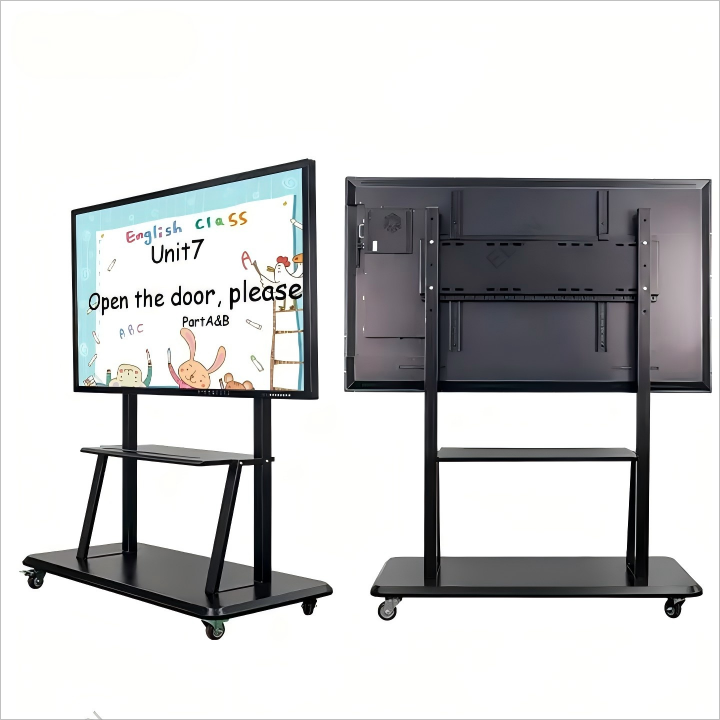
There are many factors to consider when choosing an intelligent interactive whiteboard (IWB), including technical specifications, usage environment, budget, and specific application requirements. Here are some key points to help you make an informed decision when choosing an intelligent interactive whiteboard.
First, clarify the usage scenario. Different usage scenarios have different requirements for intelligent interactive whiteboards. For example, in the field of education, teachers may pay more attention to the interactive functions, ease of use, and support for teaching software of the whiteboard. In the corporate environment, conferencing and collaboration functions and remote connection capabilities are particularly important. Therefore, before choosing, you must clarify the specific needs and frequency of use of yourself or your organization.
Second, pay attention to technical specifications. A good intelligent interactive whiteboard should have high-resolution display, sensitive touch response, and multi-touch capability. The higher the resolution, the clearer and more delicate the display effect, which is very important for presenting fine graphics and text. The touch response is fast and accurate, which can enhance the user's interactive experience, especially when writing and drawing. In addition, multi-touch supports multiple people to operate at the same time, which improves the efficiency of collaboration.
Then, compatibility and scalability are also an important aspect of choosing a whiteboard. Some whiteboards support multiple operating systems (such as Windows, macOS, and Android), as well as common office software and teaching applications, which ensures smooth integration into the existing information technology environment. Some models also support external devices such as cameras, sound systems, and projectors, which increases the flexibility of use.
At the same time, it is also very necessary to choose brands and models with good after-sales service and training support. As a technology-intensive device, smart interactive whiteboards may require certain training and technical support when used for the first time. Good after-sales service ensures that problems with the equipment during use can be solved in a timely manner to avoid affecting normal use.
In addition, budget is also a key factor. Although high-end models offer more powerful functions and better quality, they are also relatively expensive. With a limited budget, it is necessary to balance performance and price and choose the product with the best cost-effectiveness. You can compare the cost-effectiveness of different brands and models to finally choose the product that meets your needs and is within your budget.
Finally, don't forget to consider environmental protection and durability. Choosing products that perform well in terms of energy consumption and are made of environmentally friendly materials will not only help reduce long-term use costs, but also be environmentally friendly. At the same time, the durability of the smart whiteboard is also very important. Durable equipment can save users the cost of frequent repairs and replacements.
In short, when choosing a smart interactive whiteboard, you must fully consider the usage requirements, technical specifications, compatibility, after-sales service, budget, environmental durability and other factors. By comprehensively evaluating these factors, you can choose the most suitable smart interactive whiteboard to improve your work and study efficiency.
How to install an intelligent interactive whiteboard?
Analysis of the advantages and disadvantages of different sizes of smart interactive whiteboards
Related Article

Choosing the right interactive whiteboard size is an important decision for distributors, wholesalers, and education technology suppliers. The 65-inch, 75-inch, and 86-inch interactive whiteboards are popular options for classrooms, meeting rooms, training centers, and commercial projects.
65 vs 75 vs 86-Inch Interactive Whiteboard: Which Model Should Distributors Choose?

Choosing the right interactive whiteboard manufacturer in China is an important decision for distributors, wholesalers, education technology suppliers, and system integrators. The right manufacturing partner can help businesses improve product quality, maintain competitive pricing, customize products for local markets, and build a sustainable distribution business.
Who Are the Best Interactive Whiteboard Manufacturers in China for B2B Distributors and Wholesalers?

Choosing an interactive whiteboard involves more than comparing screen sizes and prices. For schools, businesses, distributors, wholesalers, and system integrators, understanding the technical specifications is essential to selecting a reliable product that meets different application requirements.
Interactive Whiteboard Technical Specifications Explained: A Complete Guide to CPU, RAM, Storage, Touch, Panel, OPS, Camera and Connectivity

Choosing an interactive whiteboard for a school, meeting room, training center, government organization or commercial project requires more than comparing screen size and price. The most important specifications include display resolution, brightness, touch technology, operating system, processor, memory, storage, OPS compatibility, camera and microphone performance, connectivity, durability and after-sales support.
How to Choose an Interactive Whiteboard: A Technical Guide to Display, Touch, OS, OPS, Camera and Connectivity