
How to Choose the Right Interactive Whiteboard for Classrooms in 2026
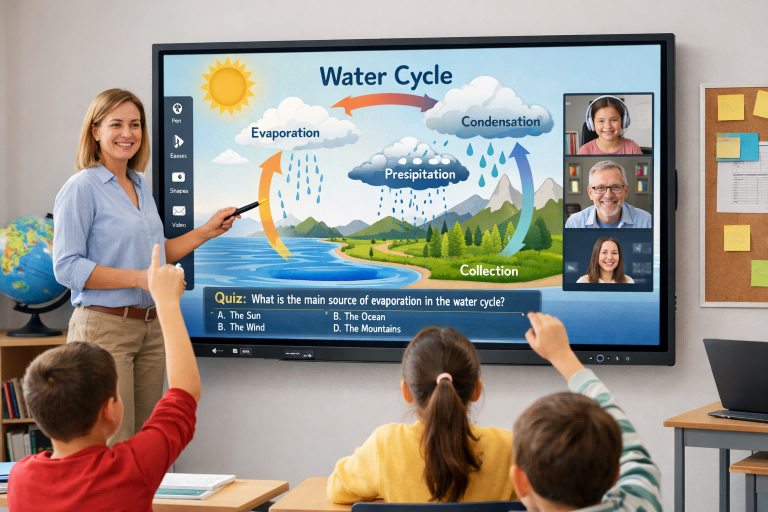
As digital teaching tools become essential in modern education, choosing the right interactive whiteboard for classrooms in 2026 requires thoughtful evaluation. The right device should not only enhance lesson delivery but also support collaboration, adapt to changing technology, and deliver long-term value. This guide walks you through the key factors that matter most when selecting an interactive whiteboard for educational environments.
1. Clarify Classroom Requirements and Teaching Goals
Start by understanding how the interactive whiteboard will be used on a daily basis. Schools differ widely in how they integrate technology into classroom activities:
-
Primary and Secondary Schools: Simple, intuitive touch interaction and durability are top priorities.
-
STEM and Arts Classes: High resolution and precise stylus support enhance detailed work like diagrams and design.
-
Hybrid or Distance Learning: Reliable connectivity for streaming and remote participation is essential.
Identifying your primary use cases helps narrow down models that best fit your needs rather than choosing based solely on price or brand.
2. Screen Size, Resolution, and Visibility
Screen size and visual clarity directly impact how effectively students engage with content.
-
Screen Size: In most standard classrooms, a 65"–75" interactive whiteboard provides ample space for clear visibility. Larger rooms or lecture halls often benefit from 86" displays.
-
Resolution: A minimum of Full HD (1080p) is recommended, while 4K resolution enhances sharpness, especially for detailed images and text.
-
Anti-Glare Panels: Essential under bright classroom lighting to reduce reflections and eye strain.
Ensure the screen size matches room dimensions so students in the back can easily see the content without squinting or straining.
3. Touch and Stylus Interaction
The interactive experience largely depends on how the board responds to touch and stylus input:
-
Multi-Touch Support: Choose boards that support at least 10 touch points so multiple students can interact simultaneously.
-
Low Latency Response: Quick and accurate touch detection makes writing and navigating smoother.
-
Stylus and Palm Rejection: Enables natural writing and drawing without accidental marks when the palm rests on the screen.
Good touch performance significantly improves classroom engagement, making lessons more collaborative and interactive.
4. Connectivity and Software Ecosystem
Interactive whiteboards should integrate seamlessly with classroom devices and software tools:
-
Connectivity Options: Ethernet, Wi-Fi, Bluetooth, and HDMI/USB-C ports allow teachers to connect laptops, tablets, and other devices.
-
Software Compatibility: Ensure the board works with major educational platforms like Google Classroom, Microsoft Teams, learning management systems (LMS), and presentation tools.
-
Cloud Support: Cloud-ready whiteboards allow teachers to access lesson files and resources from anywhere.
A flexible connectivity setup prevents technical barriers during lessons and supports future technology adoption.
5. Educational Software and Built-In Tools
The value of an interactive whiteboard is greatly enhanced by its software capabilities:
-
Annotation Tools: Built-in annotation makes it easy to highlight key concepts during lessons.
-
Lesson Templates: Pre-loaded templates help teachers prepare classes faster.
-
Student Interaction Features: Tools that allow students to submit answers or collaborate in real-time increase participation.
Look for solutions that bundle useful educational software or offer easy integration with third-party apps.
6. Durability and Support
Classroom technology must endure daily use and occasional rough handling:
-
Robust Construction: Scratch-resistant glass and sturdy frames increase longevity.
-
Mount Options: Secure wall mounts or mobile stands provide flexibility across classrooms.
-
Warranty and Support Services: Long-term technical support, onsite maintenance, and replacement options reduce downtime and unexpected costs.
Consider the total cost of ownership rather than just the purchase price to maximize return on investment.
7. Budget and Value Over Time
While price matters, a low-cost board isn’t always the best choice in the long run:
-
Energy Efficiency: Lower power consumption reduces operating costs.
-
Upgradeable Software: Boards that receive regular software updates stay relevant longer.
-
Package Deals: Some suppliers include installation, training, and warranty services.
Balancing upfront costs with long-term benefits ensures better financial planning for schools.
Conclusion
Choosing the right interactive whiteboard for classrooms in 2026 involves more than picking the newest model or the largest screen. It requires understanding classroom needs, evaluating technical features, ensuring robust connectivity, and considering long-term use and support. By focusing on usability, visibility, interaction quality, and software compatibility, educators can select a solution that supports engaging and effective learning experiences for years to come.
Interactive Whiteboard AI Camera: A Smart Upgrade for Modern Classrooms and Meeting Rooms
TORUI Interactive Whiteboard 2026: Growing with Users to Build a Better Future
Related Article



