
How to Choose the Right Interactive Whiteboard for Your School
author: toruitech
2025-10-09

Choosing an interactive whiteboard for a school is a critical decision—it influences teaching methods, student engagement, and classroom efficiency. To make a smart, long-lasting choice, consider the following key factors:
1. Clarify How the Board Will Be Used & Classroom Size
Before shopping, map out how the whiteboard will be used in your school. Will it serve a whole classroom, lecture hall, or a small lab? Do you need it for hybrid lessons, group collaboration, or primarily teacher-led instruction?
-
Screen size should match the space: for large classrooms or halls, aim for 86- to 98-inch displays; for standard classrooms, 65- to 75-inch often works well.
-
Consider line-of-sight: ensure every student can comfortably see the board without glare or obstruction.
2. Screen & Touch Technology
The display panel type and touch technology significantly affect usability.
-
Choose panel resolution of at least 4K UHD for clarity—especially when projecting detailed images, diagrams, or video.
-
Touch technologies vary:
• Infrared is common and cost-effective;
• Capacitive gives smoother writing and multi-touch gestures;
• Optical bonded panels are better in bright ambient lighting with less reflection.
Also, ensure the screen surface is durable—tempered glass or reinforced protection helps prevent scratching.
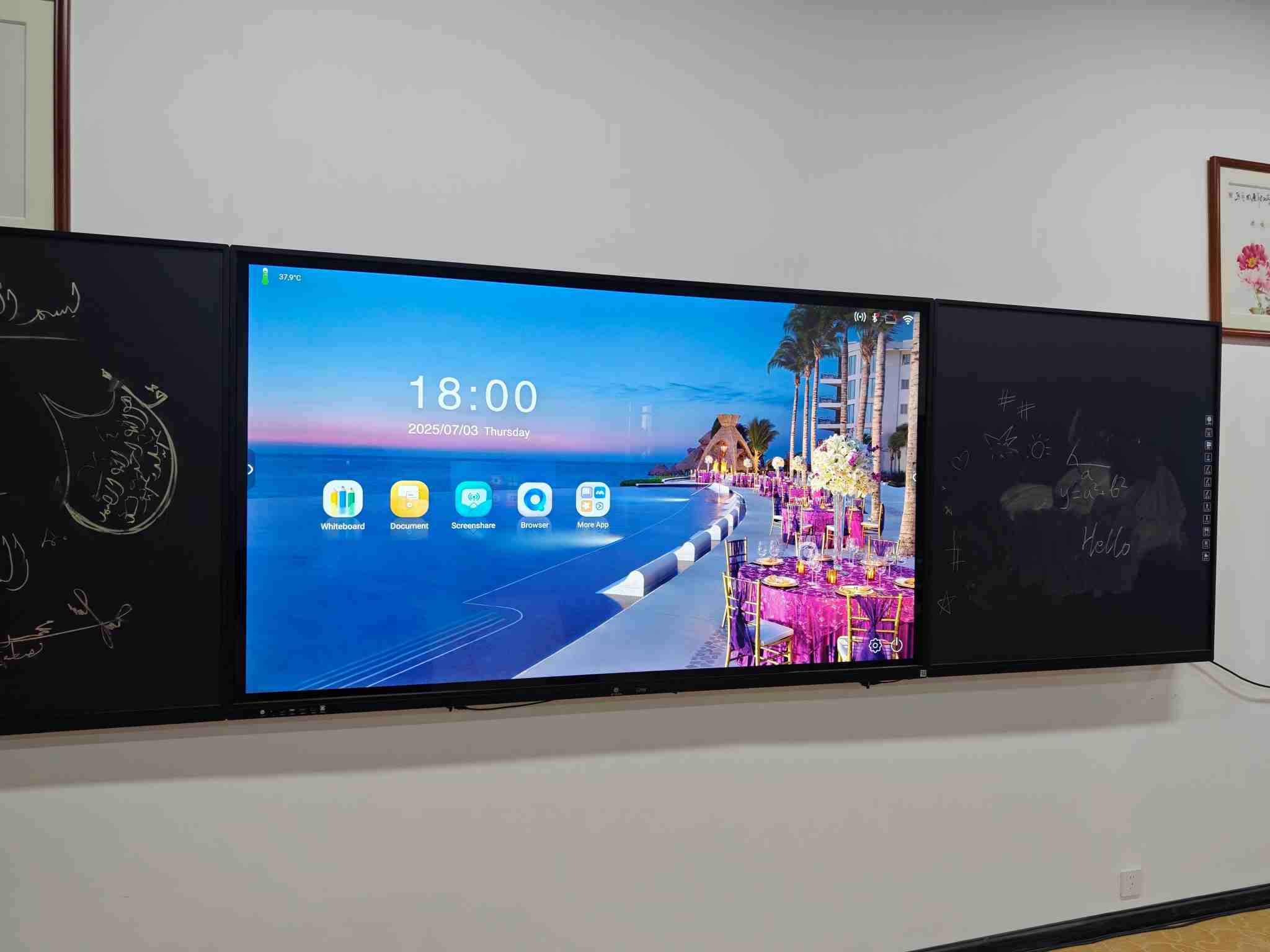
3. Software Ecosystem & Compatibility
Hardware alone isn’t enough. The interactive software and compatibility determine whether the board becomes a tool or a burden.
-
Look for boards that support cross-platform use (Windows, macOS, Android, iOS) and multiple connection options (HDMI, USB-C, wireless casting).
-
Built-in or bundled teaching tools are a plus: annotation tools, pre-loaded lesson templates, recording features, cloud storage integrations.
-
Ensure the board supports interactive multi-user features: multiple touch points, share screens from student devices.
4. Durability, Warranty & Support
For schools, reliability and after-sales matters.
-
Check operating life specifications (number of hours), expected maintenance.
-
Warranty: at least 2 years is good. Also, find out about local service, spare parts supply, and technical support.
-
Consider energy consumption, power use in standby, to reduce long-term running costs.
5. Budget & Total Cost of Ownership
Price is important—but what matters more is value over time.
-
Consider upfront cost + installation + training for teachers + maintenance costs.
-
Think about purchasing in bulk: many manufacturers or suppliers offer discounts for multiple units.
-
Also, plan for accessories (pens, mounts, cables) and any fees for software licenses or updates.
6. Test Before Buying
If possible, run a pilot: have teachers try the board in a real classroom environment.
-
Test response time (lag), writing experience, touch accuracy.
-
Evaluate usability of included software—how easy it is to prepare lessons, annotate, save work, share with students.
-
Observe glare or visibility under different lighting in your classrooms.
Summary
To pick the right interactive whiteboard for your school, focus not just on size or price, but on how the board fits your teaching style, classroom setup, and long-term usage. Prioritize durable hardware, responsive touch, rich software tools, reliable support, and a reasonable total cost of ownership. By doing so, you’ll ensure that your investment enhances learning, simplifies teacher workflows, and stays relevant for years.
Contact us to get a quote for your school’s smart classroom solution.
Smartboards for Classrooms: Enhancing Interactive Learning in the Digital Age
Meeting Room Solution: Enhancing Collaboration and Efficiency in Modern Workspaces
Related Article

Choosing the right interactive whiteboard size is an important decision for distributors, wholesalers, and education technology suppliers. The 65-inch, 75-inch, and 86-inch interactive whiteboards are popular options for classrooms, meeting rooms, training centers, and commercial projects.
65 vs 75 vs 86-Inch Interactive Whiteboard: Which Model Should Distributors Choose?

Choosing the right interactive whiteboard manufacturer in China is an important decision for distributors, wholesalers, education technology suppliers, and system integrators. The right manufacturing partner can help businesses improve product quality, maintain competitive pricing, customize products for local markets, and build a sustainable distribution business.
Who Are the Best Interactive Whiteboard Manufacturers in China for B2B Distributors and Wholesalers?

Choosing an interactive whiteboard involves more than comparing screen sizes and prices. For schools, businesses, distributors, wholesalers, and system integrators, understanding the technical specifications is essential to selecting a reliable product that meets different application requirements.
Interactive Whiteboard Technical Specifications Explained: A Complete Guide to CPU, RAM, Storage, Touch, Panel, OPS, Camera and Connectivity

Choosing an interactive whiteboard for a school, meeting room, training center, government organization or commercial project requires more than comparing screen size and price. The most important specifications include display resolution, brightness, touch technology, operating system, processor, memory, storage, OPS compatibility, camera and microphone performance, connectivity, durability and after-sales support.
How to Choose an Interactive Whiteboard: A Technical Guide to Display, Touch, OS, OPS, Camera and Connectivity