
How to Choose the Right Size for an Interactive Whiteboard
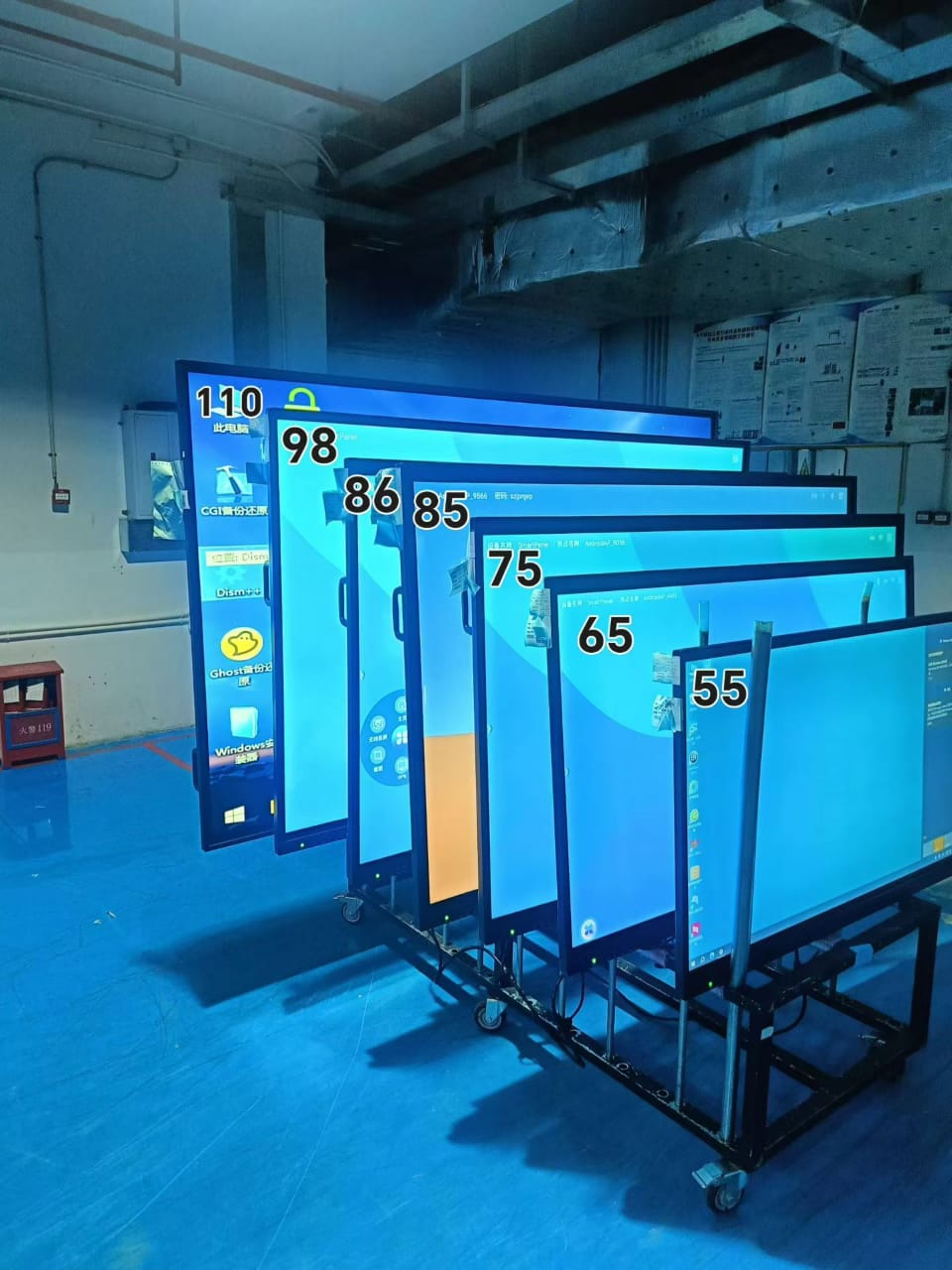
Choosing the right size for an interactive whiteboard is one of the most important decisions for schools, training centers, and corporate meeting rooms. A properly sized display improves visibility, collaboration, and user experience, while the wrong size may reduce teaching efficiency and meeting productivity. This guide explains the key factors to consider when selecting the ideal interactive whiteboard size for your needs.
Why Interactive Whiteboard Size Matters
An interactive whiteboard is more than just a display screen. It serves as a communication hub for presentations, collaboration, video conferencing, and digital learning. If the screen is too small, users sitting farther away may struggle to read text or view details clearly. If the screen is too large for the room, it can create installation challenges and unnecessary costs.
Selecting the correct size ensures:
- Better viewing experience
- Improved classroom engagement
- Higher meeting efficiency
- Comfortable touch interaction
- Optimal use of room space
Common Interactive Whiteboard Sizes
Most interactive whiteboards are available in several standard sizes, including:
- 55-inch
- 65-inch
- 75-inch
- 86-inch
- 98-inch
Each size is suitable for different environments and audience capacities.
55-Inch Interactive Whiteboard
A 55-inch model works well for small offices, huddle rooms, and limited classroom spaces. It is ideal for groups of 2–8 people and short viewing distances.
Best for:
- Small meeting rooms
- Home learning
- Small training spaces
65-Inch Interactive Whiteboard
The 65-inch size is one of the most popular options for modern classrooms and conference rooms. It balances affordability, visibility, and installation flexibility.
Best for:
- Standard classrooms
- Medium-sized meeting rooms
- Hybrid learning environments
75-Inch Interactive Whiteboard
A 75-inch display provides a larger viewing area and stronger visual impact. It is highly recommended for classrooms with more students or larger conference rooms.
Best for:
- Classrooms with 20–40 students
- Corporate boardrooms
- Interactive presentations
86-Inch and 98-Inch Interactive Whiteboards
Large-format interactive whiteboards are designed for auditoriums, lecture halls, and premium conference spaces. They deliver excellent visibility even for viewers seated far from the screen.
Best for:
- Large lecture rooms
- Government projects
- High-end conference centers
- Exhibition halls
Key Factors When Choosing the Right Size
1. Room Size and Viewing Distance
The first consideration is the distance between the screen and the audience. A larger room generally requires a larger display for clear readability.
As a simple guideline:
- Small rooms: 55–65 inches
- Medium rooms: 65–75 inches
- Large rooms: 86 inches or above
Users sitting at the back should still be able to read small text comfortably.
2. Number of Participants
The more people in the room, the larger the screen should be. For classrooms with many students, a bigger interactive whiteboard improves visibility and engagement.
3. Screen Resolution
A larger display should ideally support 4K Ultra HD resolution. High resolution ensures sharp images, readable text, and better presentation quality.
4. Installation Space
Before purchasing, measure the wall space carefully. Ensure there is enough room for installation, ventilation, and user interaction.
5. Usage Scenario
Different industries have different requirements:
- Education environments often prefer 75-inch or 86-inch models.
- Small businesses may choose 65-inch displays.
- Corporate conference rooms often benefit from 75-inch and above.
Additional Features to Consider
Besides size, modern interactive whiteboards may include:
- Multi-touch functionality
- Built-in Android systems
- Wireless screen sharing
- AI cameras and microphones
- Cloud collaboration tools
Choosing the right combination of size and features can significantly improve productivity and learning efficiency.
Final Thoughts
The best interactive whiteboard size depends on your room dimensions, audience size, viewing distance, and application scenario. For most classrooms and business environments, 65-inch to 75-inch models offer an excellent balance between performance and cost. Larger spaces may require 86-inch or 98-inch displays for optimal visibility.
By carefully evaluating your needs before purchasing, you can select an interactive whiteboard that delivers better collaboration, enhanced communication, and long-term value for your organization.
How to Choose an Excellent Interactive Whiteboard Supplier?
Import Clearance Policies for Interactive Whiteboards
Related Article



