
Interactive Flat Panel Display: Transforming Modern Education and Business Collaboration
author: toruitech
2026-03-23
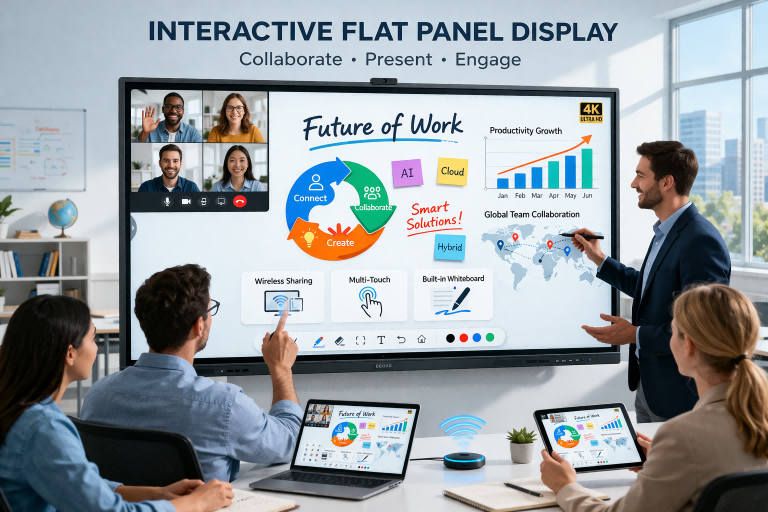
In today’s fast-evolving digital landscape, the demand for smarter, more efficient communication tools is rapidly increasing. The Interactive Flat Panel Display (IFPD) has emerged as a powerful solution, revolutionizing both educational environments and corporate meeting spaces. Combining advanced touch technology, high-definition visuals, and seamless connectivity, IFPDs are redefining how people present, collaborate, and learn.
What Is an Interactive Flat Panel Display?
An Interactive Flat Panel Display is a large-format touchscreen device that integrates the functionalities of a whiteboard, computer, projector, and collaboration system into a single unit. Unlike traditional whiteboards or projectors, IFPDs offer ultra-clear 4K resolution, multi-touch capabilities, and built-in operating systems, enabling users to interact directly with content in real time.
Key Features and Advantages
One of the most notable advantages of IFPDs is their intuitive touch interaction. Users can write, draw, annotate, and manipulate on-screen content using fingers or styluses, creating a more engaging and dynamic experience. This is particularly beneficial in classrooms, where interactive teaching improves student participation and retention.
Another key feature is wireless screen sharing. Multiple users can connect their devices—laptops, tablets, or smartphones—to the display without cables, making collaboration seamless and efficient. In business meetings, this eliminates delays and encourages real-time idea exchange.
IFPDs also provide high durability and low maintenance. Unlike projectors, they do not require bulb replacements or frequent calibration. Their anti-glare and anti-scratch glass ensures long-term usability, even in high-traffic environments.
Applications in Education
In educational settings, Interactive Flat Panel Displays are transforming traditional teaching methods into interactive learning experiences. Teachers can integrate multimedia content such as videos, animations, and online resources directly into lessons. Real-time annotations and cloud-based saving allow students to revisit materials anytime, enhancing learning outcomes.
Additionally, IFPDs support remote and hybrid learning models. With built-in cameras and conferencing software, educators can conduct live classes, record sessions, and collaborate with students regardless of location.
Applications in Business
For corporate environments, IFPDs enhance productivity and communication. They are widely used in meeting rooms for presentations, brainstorming sessions, and video conferencing. Teams can collaborate on documents, annotate presentations, and save meeting notes instantly.
The integration with popular software platforms ensures smooth workflow continuity. Whether for strategy discussions or client presentations, IFPDs create a professional and efficient communication environment.
Choosing the Right IFPD
When selecting an Interactive Flat Panel Display, businesses and institutions should consider factors such as screen size, touch accuracy, operating system compatibility, and connectivity options. Features like built-in cameras, microphones, and software ecosystems can further enhance usability depending on specific needs.
Conclusion
Interactive Flat Panel Displays are no longer just an upgrade—they are becoming a necessity for modern communication and collaboration. By combining cutting-edge technology with user-friendly design, IFPDs empower educators and professionals to deliver more engaging, efficient, and impactful experiences. As digital transformation continues, investing in high-quality interactive display solutions will be a strategic move for any forward-thinking organization.
Why Choose TORUI as Your Smart Board Manufacturer
Smart Board: Transforming Modern Education and Business Collaboration
Related Article

Choosing the right interactive whiteboard size is an important decision for distributors, wholesalers, and education technology suppliers. The 65-inch, 75-inch, and 86-inch interactive whiteboards are popular options for classrooms, meeting rooms, training centers, and commercial projects.
65 vs 75 vs 86-Inch Interactive Whiteboard: Which Model Should Distributors Choose?

Choosing the right interactive whiteboard manufacturer in China is an important decision for distributors, wholesalers, education technology suppliers, and system integrators. The right manufacturing partner can help businesses improve product quality, maintain competitive pricing, customize products for local markets, and build a sustainable distribution business.
Who Are the Best Interactive Whiteboard Manufacturers in China for B2B Distributors and Wholesalers?

Choosing an interactive whiteboard involves more than comparing screen sizes and prices. For schools, businesses, distributors, wholesalers, and system integrators, understanding the technical specifications is essential to selecting a reliable product that meets different application requirements.
Interactive Whiteboard Technical Specifications Explained: A Complete Guide to CPU, RAM, Storage, Touch, Panel, OPS, Camera and Connectivity

Choosing an interactive whiteboard for a school, meeting room, training center, government organization or commercial project requires more than comparing screen size and price. The most important specifications include display resolution, brightness, touch technology, operating system, processor, memory, storage, OPS compatibility, camera and microphone performance, connectivity, durability and after-sales support.
How to Choose an Interactive Whiteboard: A Technical Guide to Display, Touch, OS, OPS, Camera and Connectivity