
Interactive Whiteboard Applications in Corporate Training and Meetings
author: toruitech
2025-10-24
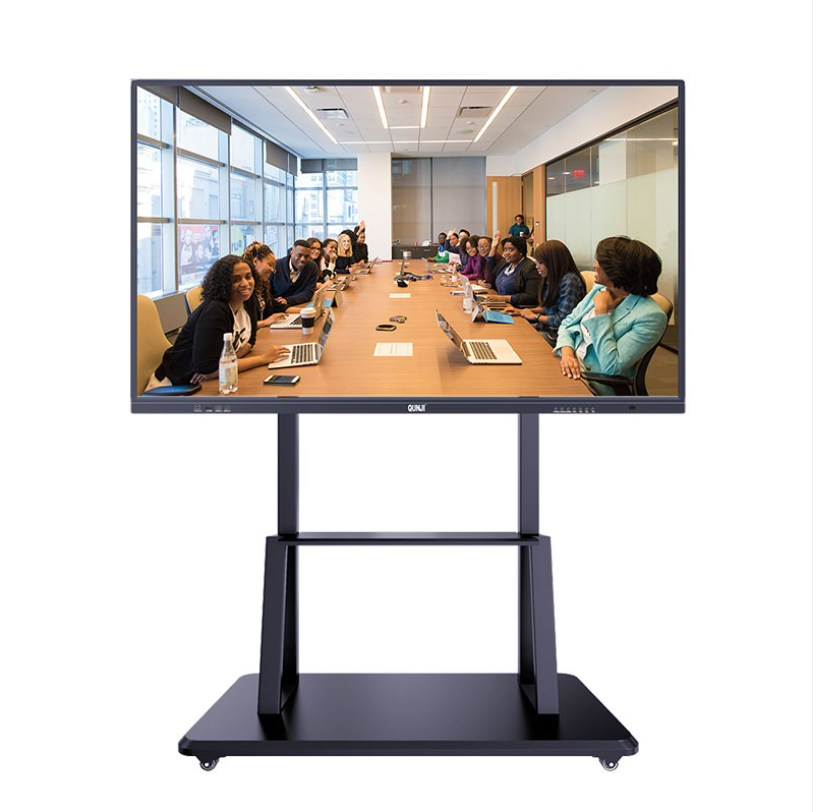
In today’s fast-paced business environment, effective communication and collaboration are essential for organizational success. Interactive whiteboards (IWBs) have become powerful tools in corporate training and meetings, offering dynamic ways to present, share, and engage with information. They combine touch-screen technology, digital annotation, and wireless connectivity to transform traditional sessions into interactive experiences that boost learning outcomes and team productivity.
Enhancing Engagement and Participation
Unlike conventional projectors or whiteboards, interactive whiteboards allow real-time interaction. Employees can write, draw, and move objects directly on the screen, making sessions more engaging and participatory. During corporate training, trainers can display multimedia content, such as videos, charts, and presentations, while participants annotate or highlight key points collaboratively. This hands-on learning method improves information retention and keeps attendees focused.
Streamlining Communication in Meetings
Interactive whiteboards enable seamless collaboration in both in-person and remote meetings. With built-in video conferencing software, participants can share screens, edit documents simultaneously, and brainstorm ideas visually. Teams working in different locations can contribute in real time, eliminating communication barriers and fostering better decision-making. Meeting notes can be instantly saved and shared digitally, reducing paper use and ensuring no critical information is lost.
Improving Training Efficiency
For corporate training programs, interactive whiteboards enhance both instructor delivery and learner engagement. Trainers can record sessions and reuse them for future onboarding or refresher training. Integrated tools such as digital pens, split screens, and data visualization make complex topics easier to understand. Moreover, the ability to connect to cloud-based resources allows access to updated materials anytime, supporting continuous learning across the organization.
Supporting Hybrid and Digital Work Environments
As hybrid work becomes the norm, interactive whiteboards bridge the gap between physical and virtual spaces. They integrate with collaboration platforms like Microsoft Teams, Zoom, and Google Workspace, allowing smooth interaction between on-site and remote participants. Whether brainstorming product ideas, conducting performance reviews, or running project updates, IWBs make meetings more efficient and visually interactive.
Conclusion
Interactive whiteboards are redefining corporate communication and learning. By combining visual collaboration, real-time participation, and digital integration, they help businesses create more engaging and productive training sessions and meetings. Investing in an interactive whiteboard system is not just a technology upgrade—it’s a strategic move toward smarter, more connected workplaces.
The Core Value of Interactive Whiteboards
How Interactive Whiteboards Transform Mathematics Teaching
Related Article

Choosing the right interactive whiteboard size is an important decision for distributors, wholesalers, and education technology suppliers. The 65-inch, 75-inch, and 86-inch interactive whiteboards are popular options for classrooms, meeting rooms, training centers, and commercial projects.
65 vs 75 vs 86-Inch Interactive Whiteboard: Which Model Should Distributors Choose?

Choosing the right interactive whiteboard manufacturer in China is an important decision for distributors, wholesalers, education technology suppliers, and system integrators. The right manufacturing partner can help businesses improve product quality, maintain competitive pricing, customize products for local markets, and build a sustainable distribution business.
Who Are the Best Interactive Whiteboard Manufacturers in China for B2B Distributors and Wholesalers?

Choosing an interactive whiteboard involves more than comparing screen sizes and prices. For schools, businesses, distributors, wholesalers, and system integrators, understanding the technical specifications is essential to selecting a reliable product that meets different application requirements.
Interactive Whiteboard Technical Specifications Explained: A Complete Guide to CPU, RAM, Storage, Touch, Panel, OPS, Camera and Connectivity

Choosing an interactive whiteboard for a school, meeting room, training center, government organization or commercial project requires more than comparing screen size and price. The most important specifications include display resolution, brightness, touch technology, operating system, processor, memory, storage, OPS compatibility, camera and microphone performance, connectivity, durability and after-sales support.
How to Choose an Interactive Whiteboard: A Technical Guide to Display, Touch, OS, OPS, Camera and Connectivity