
Interactive Whiteboard: Enhancing Education and Business Collaboration
author: toruitech
2025-10-30
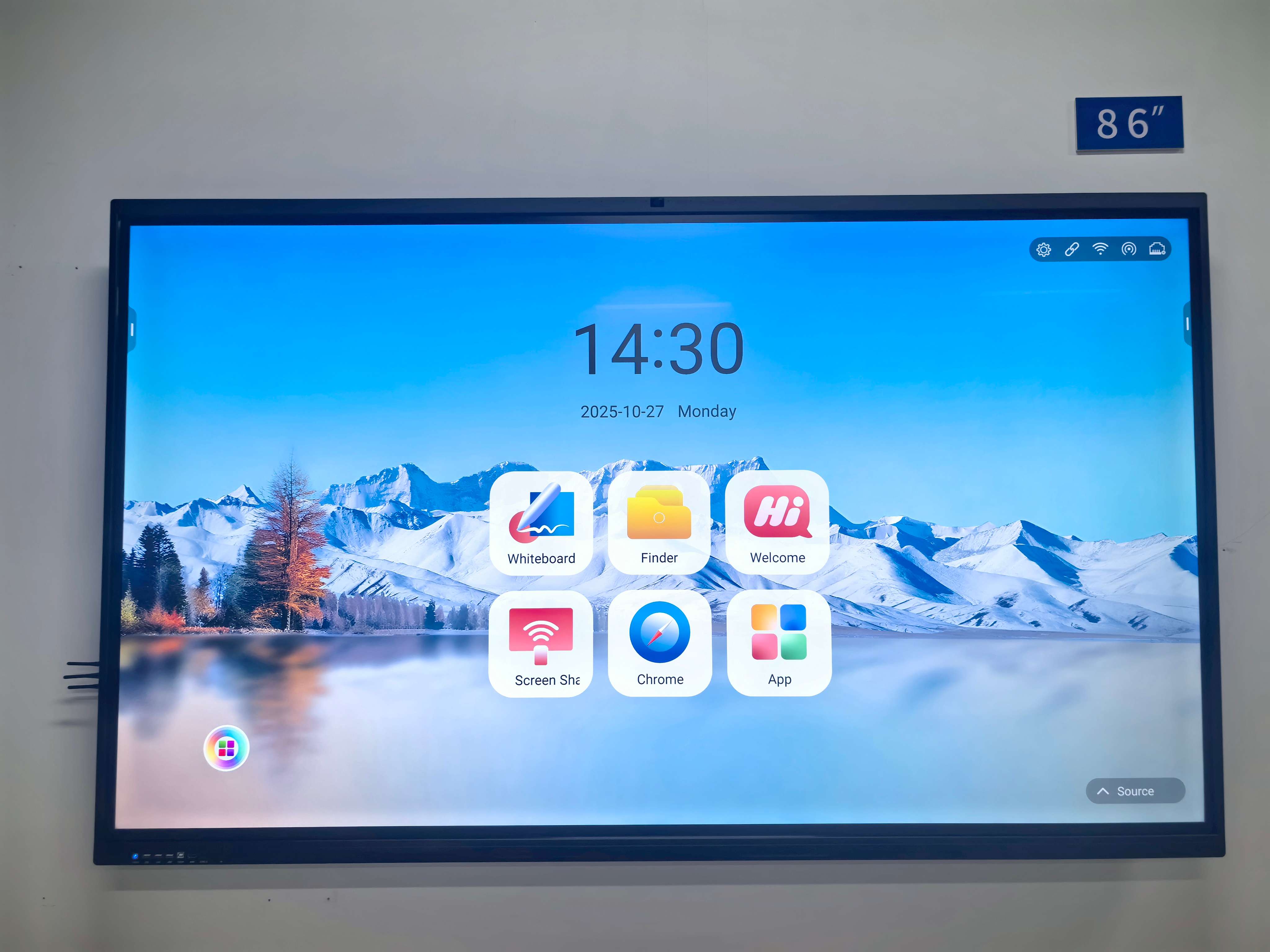
In today’s digital transformation era, interactive whiteboards are revolutionizing how people teach, learn, and communicate. With advanced touch control, 4K display, and seamless connectivity, these intelligent displays bring interactivity and innovation to classrooms, offices, and training centers worldwide.
What Is an Interactive Whiteboard?
An interactive whiteboard (IWB) is a touch-sensitive screen that connects to a computer or operates independently as an all-in-one smart display. Users can write, draw, annotate, and control multimedia directly with their fingers or a stylus. Compared to traditional whiteboards, IWBs provide real-time interaction, screen sharing, and cloud connectivity—making collaboration more dynamic and efficient.
Key Features and Technologies
Modern interactive whiteboards integrate cutting-edge technologies that enhance usability and productivity:
-
Multi-Touch Function: Multiple users can write and interact simultaneously.
-
Wireless Screen Mirroring: Share content from mobile devices or laptops without cables.
-
4K UHD Display: Ensures crisp visuals for presentations and educational content.
-
Dual Operating Systems (Android + Windows): Offers flexibility for both classroom and office applications.
-
Cloud Collaboration: Save, share, and edit content instantly via Google Workspace or Microsoft Teams.
Applications in Education
Interactive whiteboards are transforming modern classrooms into smart learning spaces. Teachers can present multimedia lessons, annotate digital textbooks, and conduct real-time quizzes. Students benefit from interactive exercises that encourage participation and creativity.
For STEM education, IWBs visualize complex concepts like equations or experiments. In language learning, teachers can use audio and visual materials to improve engagement. The result is a more dynamic, inclusive, and personalized learning experience that enhances retention and critical thinking.
Applications in Business
In corporate settings, interactive whiteboards empower teams to communicate and innovate more effectively. During meetings, participants can brainstorm ideas, annotate presentations, and share updates instantly. Integration with Zoom, Microsoft Teams, and Webex allows hybrid teams to collaborate from anywhere in real time.
IWBs also support data visualization, project tracking, and remote decision-making, making them an essential tool for smart offices, training rooms, and corporate presentations.
Market Trends and Growth Outlook
The global interactive whiteboard market is projected to grow steadily due to the rise of e-learning and hybrid work. Asia-Pacific, led by China, dominates adoption in schools, while Europe and North America show strong enterprise demand.
Future trends include AI-powered teaching assistants, gesture recognition, and cloud-integrated learning analytics, which will redefine how organizations use digital collaboration tools.
Why Choose TORUI Interactive Whiteboard
-
Reliable Quality: Precision manufacturing and strict quality control.
-
Flexible Use: Suitable for both education and business environments.
-
Seamless Collaboration: Easy wireless sharing and real-time annotation.
-
Global Service Support: Fast response and professional technical assistance.
Conclusion
The interactive whiteboard is not just a display—it’s a gateway to smarter education and seamless collaboration. As schools and enterprises embrace digital transformation, adopting intelligent interactive solutions like TORUI Interactive Whiteboard ensures improved engagement, efficiency, and innovation.
Interactive Whiteboard Applications in Modern Classrooms
Interactive Whiteboards Empower Training Institutions to Upgrade Smart Education
Related Article

Choosing the right interactive whiteboard size is an important decision for distributors, wholesalers, and education technology suppliers. The 65-inch, 75-inch, and 86-inch interactive whiteboards are popular options for classrooms, meeting rooms, training centers, and commercial projects.
65 vs 75 vs 86-Inch Interactive Whiteboard: Which Model Should Distributors Choose?

Choosing the right interactive whiteboard manufacturer in China is an important decision for distributors, wholesalers, education technology suppliers, and system integrators. The right manufacturing partner can help businesses improve product quality, maintain competitive pricing, customize products for local markets, and build a sustainable distribution business.
Who Are the Best Interactive Whiteboard Manufacturers in China for B2B Distributors and Wholesalers?

Choosing an interactive whiteboard involves more than comparing screen sizes and prices. For schools, businesses, distributors, wholesalers, and system integrators, understanding the technical specifications is essential to selecting a reliable product that meets different application requirements.
Interactive Whiteboard Technical Specifications Explained: A Complete Guide to CPU, RAM, Storage, Touch, Panel, OPS, Camera and Connectivity

Choosing an interactive whiteboard for a school, meeting room, training center, government organization or commercial project requires more than comparing screen size and price. The most important specifications include display resolution, brightness, touch technology, operating system, processor, memory, storage, OPS compatibility, camera and microphone performance, connectivity, durability and after-sales support.
How to Choose an Interactive Whiteboard: A Technical Guide to Display, Touch, OS, OPS, Camera and Connectivity