
Interactive Whiteboard Manufacturing Process: A Step-by-Step Guide for Quality and Reliability
author: toruitech
2025-11-15
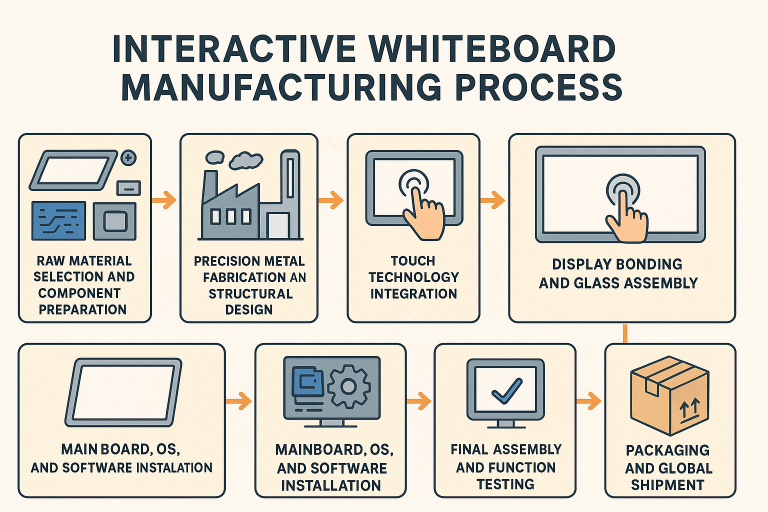
The manufacturing process of an interactive whiteboard (IWB) is a highly coordinated workflow that combines hardware engineering, touch technology integration, strict quality control, and precise assembly. For schools, enterprises, and distributors seeking reliable smart board suppliers, understanding how an interactive whiteboard is produced helps evaluate factory capability, product stability, and long-term performance.
This guide explains each key stage of the interactive whiteboard manufacturing process and what buyers should expect from a professional factory.
1. Raw Material Selection and Component Preparation
The production of an interactive whiteboard begins with selecting certified and stable components. Core materials include the high-resolution display panel, touch frame or touch modules, motherboard, camera sensors (if using optical technology), tempered glass, power board, metal back shell, and Android/Windows computing modules.
Factories typically partner with well-known panel brands and use durable metal structures to ensure product stability. Materials must pass tests for durability, heat resistance, and environmental safety before entering the production line.
2. Precision Metal Fabrication and Structural Design
A smart board’s stability largely depends on its structural design. The metal frame and back plate are produced through CNC cutting, bending, polishing, and spraying.
A well-built structure ensures:
-
Flatness of the display surface
-
Strength to support the panel
-
Effective heat dissipation
-
Long product lifespan
Factories with advanced CNC workshops can produce more accurate frames and reduce assembly errors, resulting in better product quality.
3. Touch Technology Integration
Depending on the model, interactive whiteboards use IR touch, capacitive touch, or camera-based optical touch.
IR Touch Panel Production
-
Installation of IR receivers and emitters
-
Calibration of touch accuracy
-
Testing of frame alignment
Capacitive Touch Integration
-
Bonding of sensor films
-
Application of optical adhesive (OCA)
-
Precision lamination between glass and panel
This stage is critical because touch accuracy and response speed directly affect user experience in classrooms and meeting rooms.
4. Display Bonding and Glass Assembly
The display panel is bonded with tempered glass to enhance durability and improve image clarity. Premium factories use optical bonding processes to reduce glare, improve brightness, and prevent dust entering between layers.
After bonding, the glass and panel undergo tests for:
-
Brightness uniformity
-
Color calibration
-
Screen flatness
-
Edge sealing
5. Mainboard, OS, and Software Installation
The Android/Windows mainboard, Wi-Fi modules, speakers, power board, and ports (HDMI, USB, Type-C) are installed in this stage.
Software engineers then load:
-
Android OS or EDLA-certified system
-
Whiteboard annotation software
-
Screen sharing tools
-
Touch drivers
This ensures smooth system operation and compatibility with classroom or office applications.
6. Final Assembly and Function Testing
The display, touch frame, mainboard, camera, and metal housing are assembled into the final unit. The product must pass a series of functional tests, including:
-
20-point or 40-point touch accuracy test
-
Display color and brightness test
-
Audio output test
-
USB/HDMI/Type-C port test
-
Wi-Fi and Bluetooth connection test
-
System stability test
High-quality factories perform 8–24 hours of aging tests to ensure stable performance before packaging.
7. Packaging and Global Shipment
After quality inspection, the interactive whiteboard is protected with EPE foam, corner guards, accessories kits, and export-grade cartons. For long-distance shipping, many factories offer wooden crate packaging to prevent damage during transportation.
Conclusion
A professional interactive whiteboard manufacturing process involves rigorous engineering, precise assembly, and strict quality control at every stage. Buyers should evaluate a supplier not only by product specifications but also by factory scale, production capability, and testing standards.
Understanding these steps helps distributors and institutions choose a reliable partner and ensure long-term product performance.
OPS Computer: The Essential Computing Module for Modern Interactive Displays
China Interactive Whiteboard Supplier – OEM/ODM Smart Board Manufacturer
Related Article

Choosing the right interactive whiteboard size is an important decision for distributors, wholesalers, and education technology suppliers. The 65-inch, 75-inch, and 86-inch interactive whiteboards are popular options for classrooms, meeting rooms, training centers, and commercial projects.
65 vs 75 vs 86-Inch Interactive Whiteboard: Which Model Should Distributors Choose?

Choosing the right interactive whiteboard manufacturer in China is an important decision for distributors, wholesalers, education technology suppliers, and system integrators. The right manufacturing partner can help businesses improve product quality, maintain competitive pricing, customize products for local markets, and build a sustainable distribution business.
Who Are the Best Interactive Whiteboard Manufacturers in China for B2B Distributors and Wholesalers?

Choosing an interactive whiteboard involves more than comparing screen sizes and prices. For schools, businesses, distributors, wholesalers, and system integrators, understanding the technical specifications is essential to selecting a reliable product that meets different application requirements.
Interactive Whiteboard Technical Specifications Explained: A Complete Guide to CPU, RAM, Storage, Touch, Panel, OPS, Camera and Connectivity

Choosing an interactive whiteboard for a school, meeting room, training center, government organization or commercial project requires more than comparing screen size and price. The most important specifications include display resolution, brightness, touch technology, operating system, processor, memory, storage, OPS compatibility, camera and microphone performance, connectivity, durability and after-sales support.
How to Choose an Interactive Whiteboard: A Technical Guide to Display, Touch, OS, OPS, Camera and Connectivity