
Interactive Whiteboard Viewing Angle Analysis
author: toruitech
2025-08-22
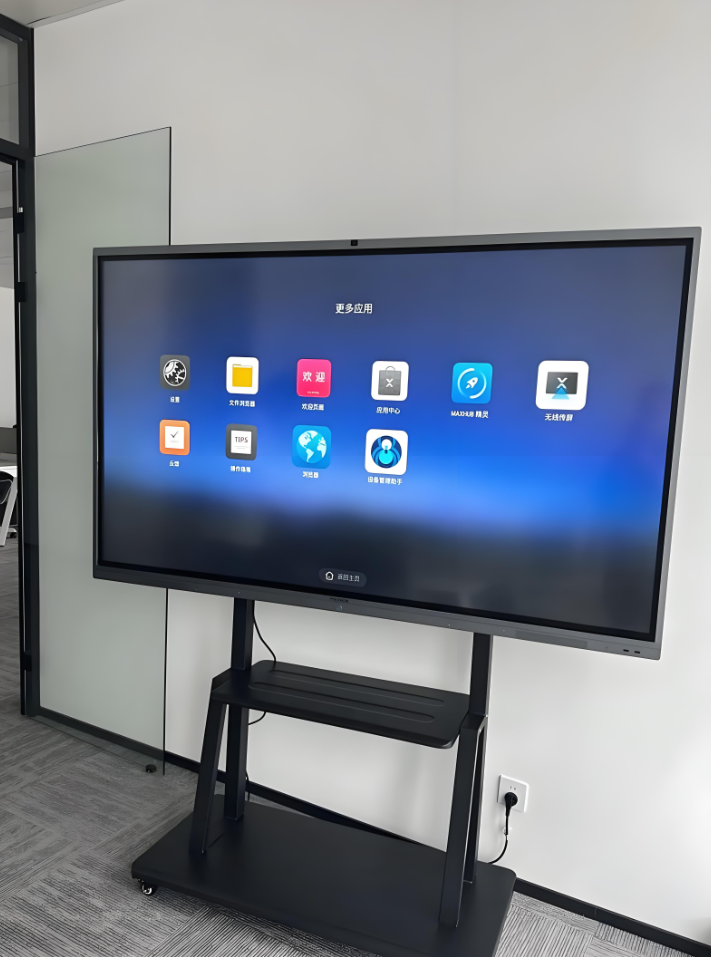
With the advancement of information-based teaching and smart office work, interactive whiteboards have become standard equipment in modern classrooms, conference rooms, and training institutions. Integrating multiple functions such as computers, projectors, and touchscreens, they provide an efficient and intelligent interactive platform for teachers, students, and office staff. Among numerous technical parameters, viewing angle is a crucial factor influencing interactive whiteboard display quality and user experience. This article will comprehensively analyze the viewing angle of interactive whiteboards, including its definition, influencing factors, industry standards, practical applications, and purchasing recommendations.
1. Definition and Significance of Viewing Angle
Viewing angle refers to the maximum range within which a user can clearly discern screen content when viewing the screen from different angles. Measured in degrees, it is typically categorized into horizontal and vertical viewing angles. For interactive whiteboards, a wide viewing angle means that users can clearly see text, images, and multimedia content displayed on the whiteboard, regardless of their position in the classroom or conference room. Viewing angle directly impacts the efficiency of information transmission and the interactive experience for participants, and is particularly important in large spaces and with multiple users.
2. Factors Affecting Viewing Angle
Display Technology
Interactive whiteboards primarily use display technologies such as liquid crystal (LCD), LED backlight, and OLED. Viewing angles vary significantly between different technologies. IPS panels, due to the arrangement of their liquid crystal molecules, typically offer an ultra-wide viewing angle of 178°. TN panels, on the other hand, have narrower viewing angles and are prone to color shift and uneven brightness.
Screen Surface Treatment
Some whiteboards use anti-glare, matte finishes, or anti-reflective coatings to reduce the impact of ambient light on the screen and improve clarity when viewed from the side. However, this surface treatment may also slightly affect color saturation and brightness.
Screen Size and Resolution
Large-sized whiteboards are prone to color distortion and brightness reduction when viewed from the side. High-resolution screens maintain a detailed display over a wider range.
Ambient Light
Bright sunlight or backlighting can reduce screen visibility, especially when viewed from the side or from a distance, where the screen content can be easily overwhelmed by ambient light. III. Industry Standards and Current Application Status
Based on industry experience and mainstream product specifications, high-quality interactive whiteboards typically have a viewing angle of 178° horizontally and 178° vertically. This means that in most classroom and meeting room layouts, participants can clearly see the entire content, whether standing directly in front of the screen or to the side. Some high-end products even utilize OLED or quantum dot technology to achieve even higher color reproduction and viewing angles, meeting the needs of professional teaching and high-level conferences.
Internet searches indicate that the viewing angle of interactive whiteboards has become a key consideration for users. Especially in scenarios such as multi-row seating, group discussions, and interactive presentations, a wide viewing angle can significantly improve teaching and office efficiency, reducing information omissions and communication barriers caused by poor viewing angles.
IV. The Relationship between Viewing Angle and Teaching and Meeting Efficiency
Viewing angle directly impacts information coverage and engagement in classrooms and meetings. A wide viewing angle ensures that every teacher, student, or participant can clearly see the screen content, eliminating "blind spots" caused by viewing angle issues. During interactive teaching, students can participate in whiteboard operations at any time, and teachers can flexibly move around to explain, greatly enhancing classroom interactivity and flexibility. In conference settings, participants from the side or at a distance can still accurately grasp key information, promoting team collaboration and efficient decision-making.
V. Purchasing Recommendations
Prefer wide-viewing angle panels such as IPS or OLED. These panels offer wider viewing angles and excellent color reproduction, making them suitable for diverse teaching and meeting needs.
Focus on the screen surface treatment. Anti-glare and matte finishes help improve clarity when viewed from the side and reduce ambient light interference.
Field Testing of Visual Performance
It is recommended to test the whiteboard's viewing angle performance in a real-world environment to ensure it meets the requirements of the space layout and the number of participants.
Comprehensively Consider Resolution and Brightness
High resolution and high brightness ensure clear display over a wide area, enhancing the overall experience.
Conclusion
Viewing angle, a key technical parameter of an interactive whiteboard, directly impacts the efficiency of information transmission and the user interaction experience. When purchasing and using interactive whiteboards, users should consider their specific scenarios and needs, choosing products with wide viewing angles and paying attention to screen technology and surface treatment to achieve optimal information-based teaching and smart office performance. With the continuous advancement of display technology, the viewing angle performance of interactive whiteboards will be even better in the future, bringing greater value to smart education and efficient enterprises.
Analysis of Interactive Whiteboard Response Time and Its Application Value
Interactive Whiteboard Brightness Analysis
Related Article

Choosing the right interactive whiteboard size is an important decision for distributors, wholesalers, and education technology suppliers. The 65-inch, 75-inch, and 86-inch interactive whiteboards are popular options for classrooms, meeting rooms, training centers, and commercial projects.
65 vs 75 vs 86-Inch Interactive Whiteboard: Which Model Should Distributors Choose?

Choosing the right interactive whiteboard manufacturer in China is an important decision for distributors, wholesalers, education technology suppliers, and system integrators. The right manufacturing partner can help businesses improve product quality, maintain competitive pricing, customize products for local markets, and build a sustainable distribution business.
Who Are the Best Interactive Whiteboard Manufacturers in China for B2B Distributors and Wholesalers?

Choosing an interactive whiteboard involves more than comparing screen sizes and prices. For schools, businesses, distributors, wholesalers, and system integrators, understanding the technical specifications is essential to selecting a reliable product that meets different application requirements.
Interactive Whiteboard Technical Specifications Explained: A Complete Guide to CPU, RAM, Storage, Touch, Panel, OPS, Camera and Connectivity

Choosing an interactive whiteboard for a school, meeting room, training center, government organization or commercial project requires more than comparing screen size and price. The most important specifications include display resolution, brightness, touch technology, operating system, processor, memory, storage, OPS compatibility, camera and microphone performance, connectivity, durability and after-sales support.
How to Choose an Interactive Whiteboard: A Technical Guide to Display, Touch, OS, OPS, Camera and Connectivity