
Digital Blackboards: A New Force for Educational Transformation
author: toruitech
2025-08-09
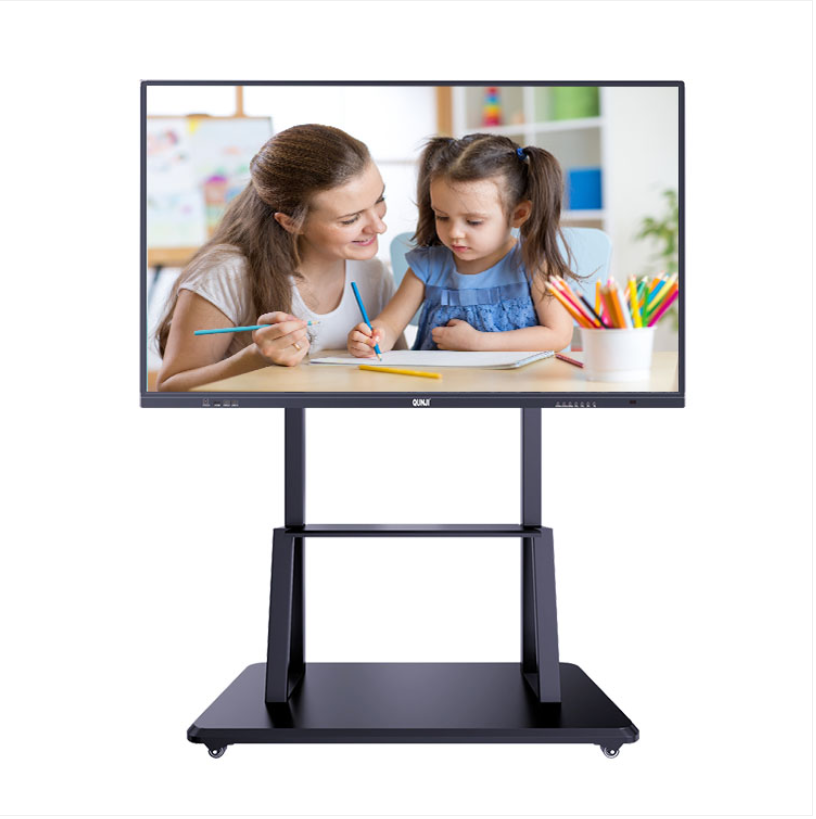
Amidst the rapid advancements in technology, digital blackboards (pizarra digital) are becoming a rising star in education, revolutionizing teaching.
Digital blackboards transcend the limitations of traditional blackboards. Traditional blackboards can only be written on with chalk, which not only limits legibility but also creates chalk dust that can harm the health of both teachers and students. Digital blackboards, on the other hand, serve as a versatile information display platform. They can clearly display a variety of teaching resources, including high-definition images, engaging videos, and vivid animations. For example, in geography classes, teachers can use digital blackboards to display videos of natural scenery from around the world, allowing students to experience the wonders and beauty of nature as if they were there, greatly stimulating their interest in learning.
From a teaching perspective, digital blackboards promote interactive learning. Teachers can use their built-in software to design engaging interactive activities. For example, by initiating instant Q&A sessions, students can answer via their devices. This allows teachers to quickly assess students' understanding of the knowledge and adjust teaching methods accordingly. This interactive approach not only enhances student engagement but also creates a more lively classroom atmosphere.
Digital blackboards also facilitate the sharing and storage of teaching resources. Teachers can upload courseware, assignments, and other teaching materials to the cloud, allowing students to download and access them anytime, anywhere, making them convenient for after-class review and pre-study. This has a positive impact on cultivating students' independent learning abilities.
However, digital blackboards also face challenges in their implementation. For example, it may take some time for some teachers to accept and master the new technology, and schools may need to invest significantly in purchasing and maintaining the equipment. However, with the continuous advancement of technology and the increasing emphasis on education, these issues will gradually be addressed.
As a key tool for educational informatization, digital blackboards offer unlimited possibilities for teaching and learning. They are leading education towards greater intelligence and efficiency, laying a solid foundation for cultivating innovative talent for the future.
Interactive Whiteboard Maintenance and Repair
Smart Whiteboard Cost: Influencing Factors and Investment Value Analysis
Related Article

Choosing the right interactive whiteboard size is an important decision for distributors, wholesalers, and education technology suppliers. The 65-inch, 75-inch, and 86-inch interactive whiteboards are popular options for classrooms, meeting rooms, training centers, and commercial projects.
65 vs 75 vs 86-Inch Interactive Whiteboard: Which Model Should Distributors Choose?

Choosing the right interactive whiteboard manufacturer in China is an important decision for distributors, wholesalers, education technology suppliers, and system integrators. The right manufacturing partner can help businesses improve product quality, maintain competitive pricing, customize products for local markets, and build a sustainable distribution business.
Who Are the Best Interactive Whiteboard Manufacturers in China for B2B Distributors and Wholesalers?

Choosing an interactive whiteboard involves more than comparing screen sizes and prices. For schools, businesses, distributors, wholesalers, and system integrators, understanding the technical specifications is essential to selecting a reliable product that meets different application requirements.
Interactive Whiteboard Technical Specifications Explained: A Complete Guide to CPU, RAM, Storage, Touch, Panel, OPS, Camera and Connectivity

Choosing an interactive whiteboard for a school, meeting room, training center, government organization or commercial project requires more than comparing screen size and price. The most important specifications include display resolution, brightness, touch technology, operating system, processor, memory, storage, OPS compatibility, camera and microphone performance, connectivity, durability and after-sales support.
How to Choose an Interactive Whiteboard: A Technical Guide to Display, Touch, OS, OPS, Camera and Connectivity