
Smart Board Interactive Whiteboard: A Comprehensive Guide
author: toruitech
2025-09-27
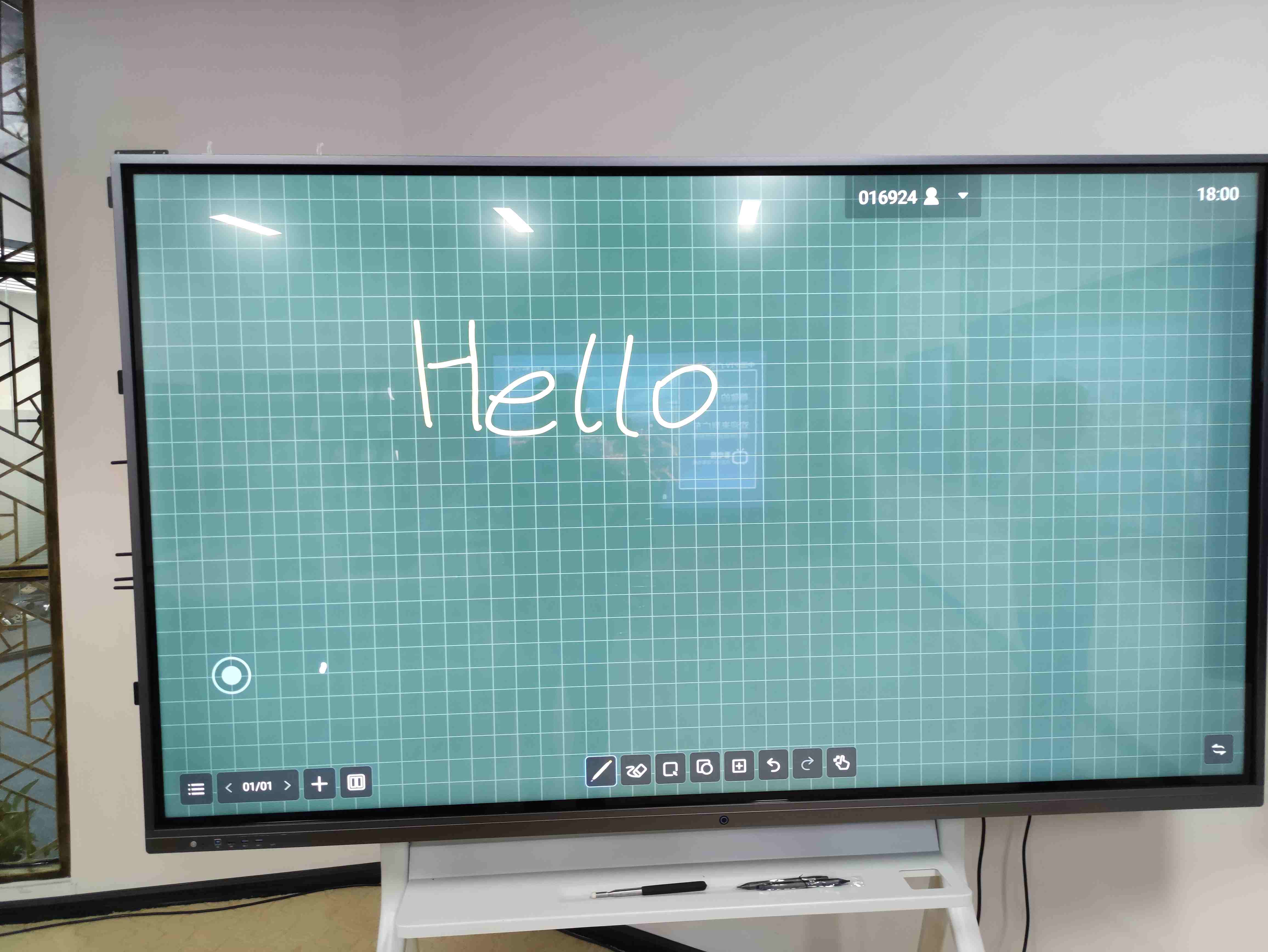
A Smart Board Interactive Whiteboard is an advanced educational tool designed to facilitate dynamic learning and engagement in classrooms and meeting rooms. It integrates digital technology with traditional whiteboard functionality, offering interactive features that revolutionize the way instructors and presenters engage with students and audiences. Below, we explore the core aspects of interactive whiteboards, their benefits, and how they are transforming education and business environments.
What is a Smart Board Interactive Whiteboard?
A Smart Board Interactive Whiteboard is a large, touch-sensitive display that functions as a combination of a traditional whiteboard, a projector screen, and a computer. It allows users to interact with the screen using their fingers, pens, or other touch-enabled devices. These boards can connect to a computer or network, enabling users to display multimedia content such as videos, images, text, and interactive software. With the ability to display both static and dynamic content, interactive whiteboards serve as versatile tools for teaching, collaboration, and presentations.
Key Features of Smart Board Interactive Whiteboards
-
Touch-Activated Interactivity: Users can manipulate on-screen content with touch gestures, such as tapping, dragging, or drawing. This feature enhances engagement and facilitates interactive learning.
-
Multimedia Integration: Smart boards support a wide variety of multimedia, including videos, animations, and live web content. This helps teachers create a richer, more engaging experience for students by incorporating different learning styles.
-
Real-Time Collaboration: Interactive whiteboards allow multiple users to interact with the board simultaneously. This is ideal for group activities, teamwork, and collaborative learning in educational settings.
-
Connectivity: The board can be connected to computers, tablets, and even cloud-based platforms, allowing users to access and share content from anywhere, making it ideal for remote learning or virtual meetings.
-
Software Support: Interactive whiteboards often come with dedicated software designed for educational and business purposes. These programs allow users to create interactive lessons, presentations, and collaborative projects.
-
Writing and Annotation: Users can write directly on the screen, similar to traditional whiteboards. These notes can then be saved, shared, or printed for later reference, ensuring that critical information is preserved.
-
Customizable: Many interactive whiteboards allow users to customize the display, adjust settings, and even create personalized templates that suit their teaching or business needs.
Benefits of Smart Board Interactive Whiteboards
-
Enhanced Learning Experience: With the ability to display interactive content, smart boards make learning more engaging. Teachers can use digital resources, simulations, and interactive exercises to better explain complex topics, fostering a more immersive learning environment.
-
Increased Student Engagement: The interactivity offered by smart boards motivates students to participate in lessons actively. Touch-based learning, such as writing or moving objects on-screen, can be particularly effective in maintaining attention and encouraging critical thinking.
-
Versatility: Interactive whiteboards can be used in a variety of educational and business settings. In classrooms, they help with teaching subjects like math, science, and language arts. In businesses, they can be used for presentations, team collaboration, and brainstorming sessions.
-
Efficiency in Teaching and Meetings: Teachers and presenters can switch between different types of content quickly, saving time and improving the flow of lessons or meetings. The ability to annotate directly on the screen also eliminates the need for writing on a traditional whiteboard, further streamlining communication.
-
Support for Diverse Learning Styles: Interactive whiteboards cater to different learning preferences, whether visual, auditory, or kinesthetic. This ensures that all students have an opportunity to learn in a way that suits them best.
-
Accessibility: Many smart boards include features that enhance accessibility for all users, including text-to-speech functions, color contrast adjustments, and multilingual support. This makes it easier to accommodate students with disabilities or those learning in a second language.
The Future of Smart Boards in Education and Business
As technology continues to evolve, the functionality and accessibility of smart boards are expected to grow. Advances in artificial intelligence, machine learning, and virtual reality could further enhance the interactivity and effectiveness of these devices. Additionally, the integration of cloud computing will allow for seamless access to educational materials, data sharing, and real-time collaboration across remote locations, making smart boards even more powerful tools in both educational and professional settings.
Conclusion
Smart Board Interactive Whiteboards represent a significant advancement in the way we teach, collaborate, and communicate. By integrating interactive features, multimedia capabilities, and connectivity, these boards are transforming classrooms and meeting rooms around the world. As technology continues to evolve, interactive whiteboards will remain central to creating dynamic, engaging, and efficient learning and working environments.
If you’re considering investing in a smart board for your classroom or business, the benefits of improved interactivity, enhanced engagement, and seamless collaboration make it a worthwhile investment.
The Value and Significance of Upgrading Schools with Interactive Whiteboards
Government Support and Promotion of Education
Related Article

Choosing the right interactive whiteboard size is an important decision for distributors, wholesalers, and education technology suppliers. The 65-inch, 75-inch, and 86-inch interactive whiteboards are popular options for classrooms, meeting rooms, training centers, and commercial projects.
65 vs 75 vs 86-Inch Interactive Whiteboard: Which Model Should Distributors Choose?

Choosing the right interactive whiteboard manufacturer in China is an important decision for distributors, wholesalers, education technology suppliers, and system integrators. The right manufacturing partner can help businesses improve product quality, maintain competitive pricing, customize products for local markets, and build a sustainable distribution business.
Who Are the Best Interactive Whiteboard Manufacturers in China for B2B Distributors and Wholesalers?

Choosing an interactive whiteboard involves more than comparing screen sizes and prices. For schools, businesses, distributors, wholesalers, and system integrators, understanding the technical specifications is essential to selecting a reliable product that meets different application requirements.
Interactive Whiteboard Technical Specifications Explained: A Complete Guide to CPU, RAM, Storage, Touch, Panel, OPS, Camera and Connectivity

Choosing an interactive whiteboard for a school, meeting room, training center, government organization or commercial project requires more than comparing screen size and price. The most important specifications include display resolution, brightness, touch technology, operating system, processor, memory, storage, OPS compatibility, camera and microphone performance, connectivity, durability and after-sales support.
How to Choose an Interactive Whiteboard: A Technical Guide to Display, Touch, OS, OPS, Camera and Connectivity