
Smart White Board: Transforming Modern Classrooms and Meeting Spaces
author: toruitech
2026-05-06
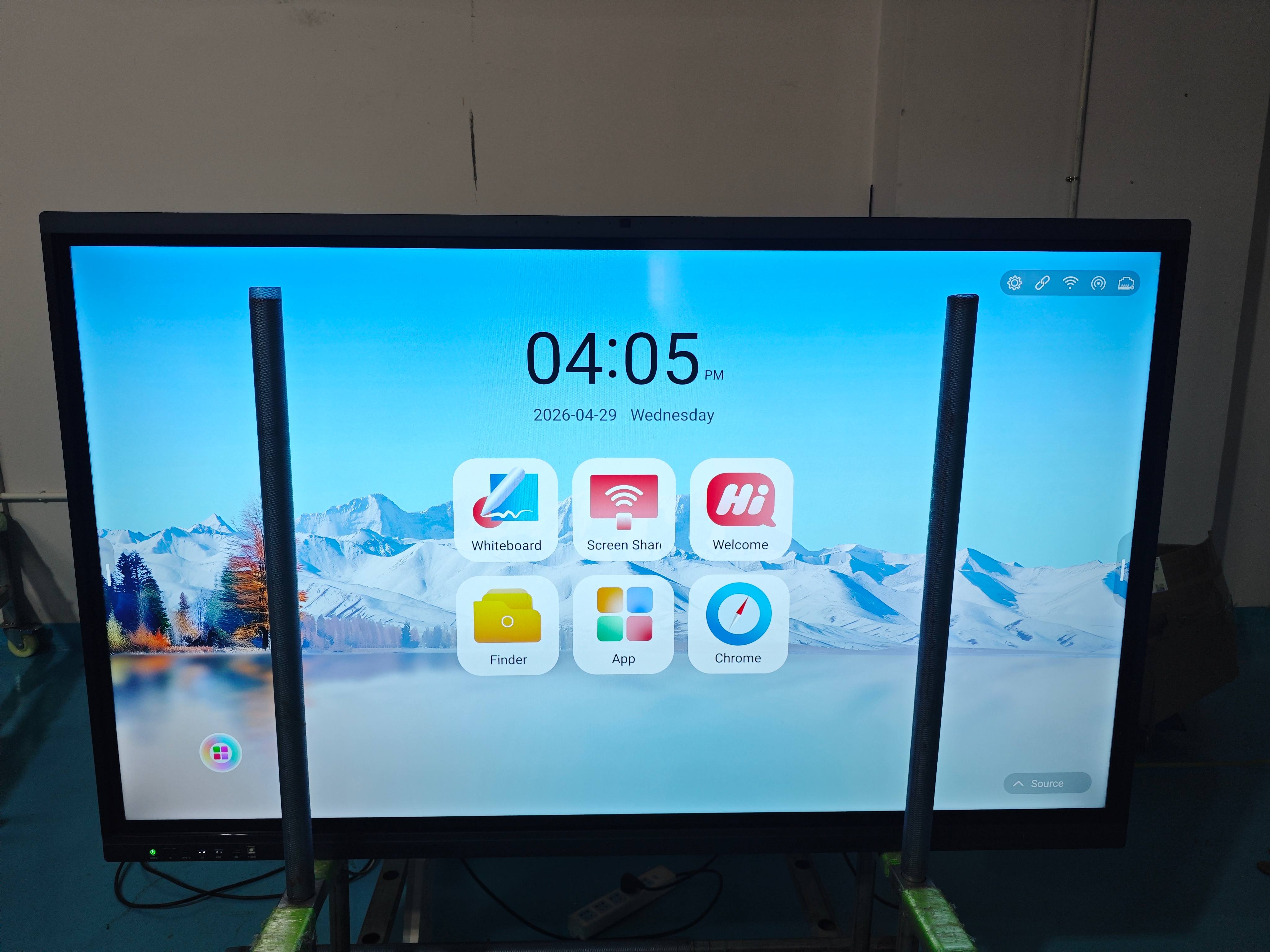
A smart white board, also known as an interactive whiteboard, has become a core tool in today’s digital classrooms and corporate environments. By combining touch technology, high-definition display, and intelligent software, it enables users to present, write, and collaborate more efficiently than ever before. As organizations continue to embrace digital transformation, smart white boards are no longer optional—they are becoming essential.
What Is a Smart White Board?
A smart white board is a large, touch-sensitive display that allows users to interact directly with digital content. Unlike traditional whiteboards, it supports handwriting recognition, multimedia playback, and real-time collaboration. Most systems are equipped with built-in operating systems, commonly Android-based, and can connect seamlessly with external devices such as laptops, tablets, and smartphones.
Key Features and Technologies
One of the defining features of a smart white board is its multi-touch capability. This allows multiple users to write or interact on the screen simultaneously, making it ideal for group discussions and collaborative work. In addition, 4K ultra-high-definition displays ensure clear visuals, even in larger rooms.
Another important aspect is wireless screen sharing. Users can instantly project content from their personal devices without the need for cables, simplifying presentations and saving time. Built-in applications, such as digital whiteboarding tools and video conferencing software, further enhance usability.
Advanced models also include AI-powered features like handwriting smoothing, object recognition, and smart annotation, which improve the overall user experience.
Benefits for Education
In educational settings, smart white boards significantly enhance student engagement. Teachers can integrate videos, animations, and interactive exercises into lessons, making complex concepts easier to understand. Real-time annotation and cloud saving allow lessons to be recorded and shared with students for later review.
Additionally, these boards support hybrid learning by enabling seamless interaction between in-class and remote students. This flexibility is particularly valuable in today’s evolving education landscape.
Advantages in Business Environments
For businesses, smart white boards streamline communication and improve productivity. Teams can conduct meetings, brainstorming sessions, and presentations more effectively with interactive tools. Real-time collaboration allows participants to edit documents, share ideas, and make decisions faster.
Integration with popular conferencing platforms ensures smooth remote communication, making smart white boards an excellent solution for distributed teams.
How to Choose the Right Smart White Board
Selecting the right smart white board depends on several factors. Screen size should match the room dimensions to ensure visibility for all participants. Performance specifications, such as processor speed and memory, determine how smoothly the system operates.
Connectivity options are also crucial. Multiple input ports and strong wireless capabilities provide greater flexibility. Finally, reliable after-sales support and software updates are important for long-term usability.
Conclusion
A smart white board is more than just a display—it is a comprehensive collaboration tool that enhances learning and communication. By integrating advanced technology with user-friendly design, it helps organizations create more interactive and efficient environments. Whether used in classrooms or meeting rooms, investing in a high-quality smart white board is a practical step toward smarter, more connected experiences.
Interactive Flat Panel Display: The Smart Solution for Modern Classrooms and Meeting Rooms
TORUI Interactive Whiteboard—Winning the Market Through Quality and Service
Related Article

Choosing the right interactive whiteboard size is an important decision for distributors, wholesalers, and education technology suppliers. The 65-inch, 75-inch, and 86-inch interactive whiteboards are popular options for classrooms, meeting rooms, training centers, and commercial projects.
65 vs 75 vs 86-Inch Interactive Whiteboard: Which Model Should Distributors Choose?

Choosing the right interactive whiteboard manufacturer in China is an important decision for distributors, wholesalers, education technology suppliers, and system integrators. The right manufacturing partner can help businesses improve product quality, maintain competitive pricing, customize products for local markets, and build a sustainable distribution business.
Who Are the Best Interactive Whiteboard Manufacturers in China for B2B Distributors and Wholesalers?

Choosing an interactive whiteboard involves more than comparing screen sizes and prices. For schools, businesses, distributors, wholesalers, and system integrators, understanding the technical specifications is essential to selecting a reliable product that meets different application requirements.
Interactive Whiteboard Technical Specifications Explained: A Complete Guide to CPU, RAM, Storage, Touch, Panel, OPS, Camera and Connectivity

Choosing an interactive whiteboard for a school, meeting room, training center, government organization or commercial project requires more than comparing screen size and price. The most important specifications include display resolution, brightness, touch technology, operating system, processor, memory, storage, OPS compatibility, camera and microphone performance, connectivity, durability and after-sales support.
How to Choose an Interactive Whiteboard: A Technical Guide to Display, Touch, OS, OPS, Camera and Connectivity